Create tasks and subtasks
Define the result you need, then break larger work into steps you can complete independently.
On this page
Create a task
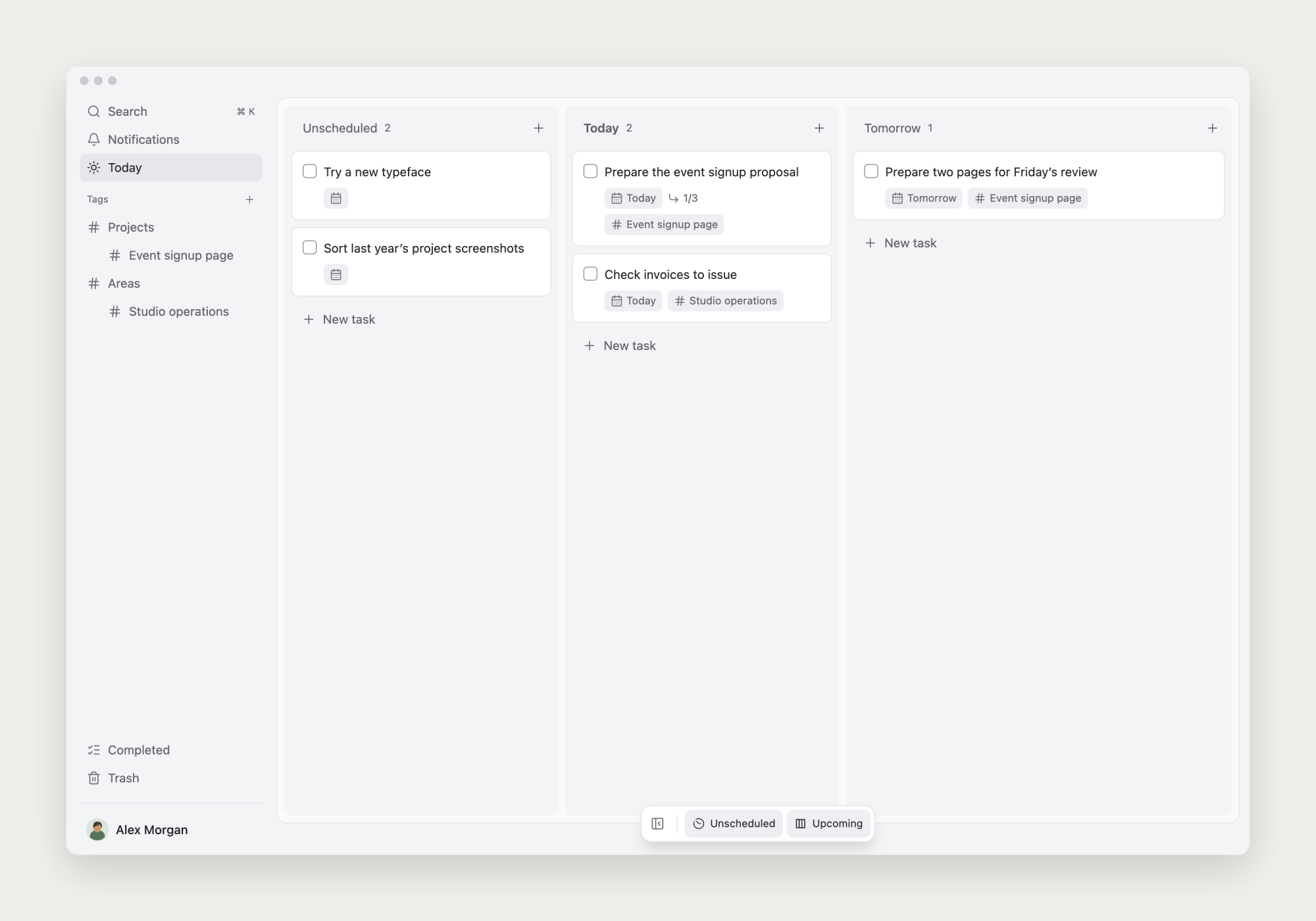
Choose New task in a suitable board lane and enter a title. Use Unscheduled when you haven’t chosen a date.
Name an action and a result: ‘Collect product page review questions’ is easier to act on than ‘Product page’. Click its title to open the note.
Create subtasks inside a note
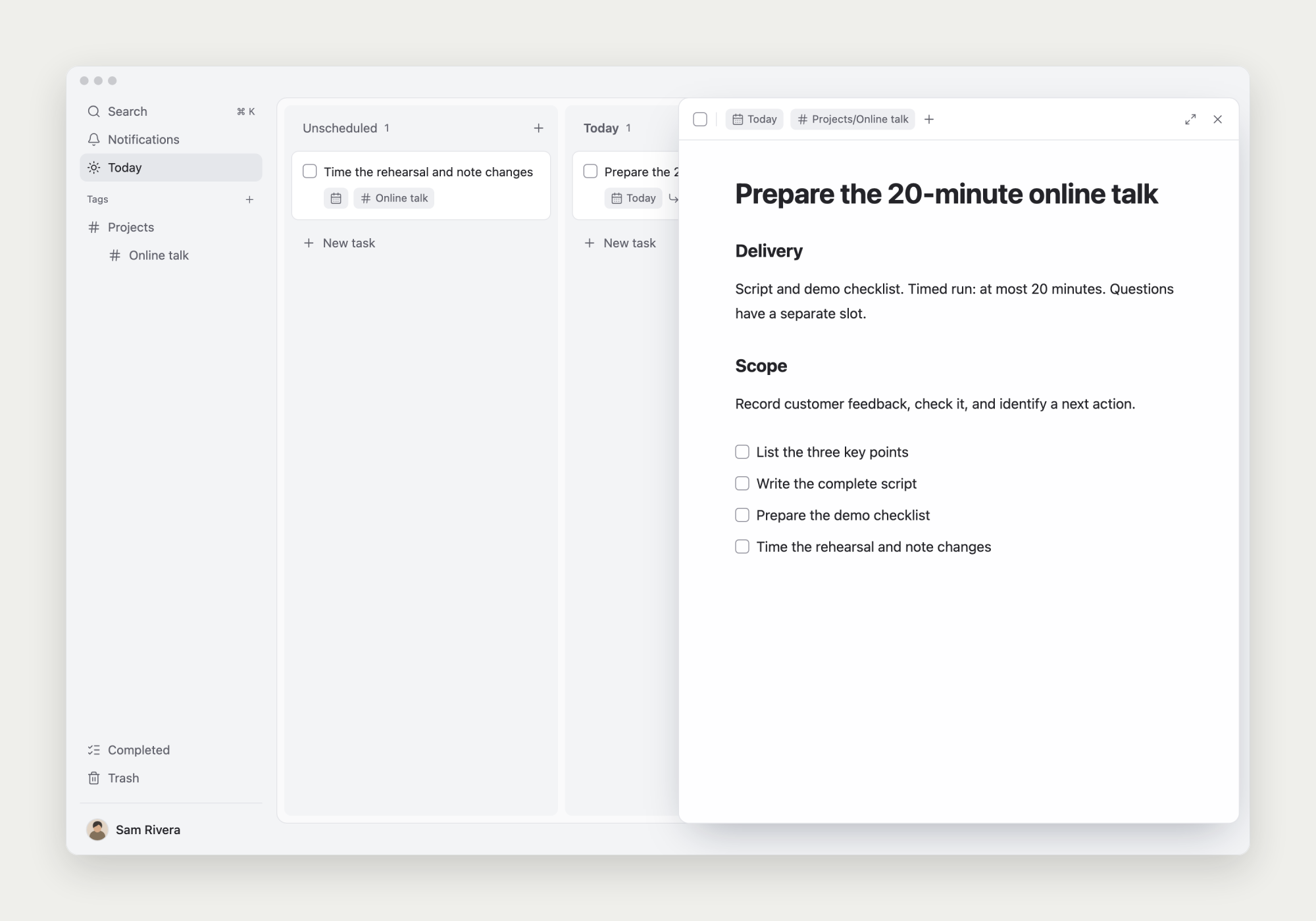
Open the parent task, type ‘/’, choose Task, and create a step. The subtask stays in its parent’s context and has its own note.
For an online talk, you might create ‘Define the outline’, ‘Prepare the demo’, and ‘Run a rehearsal’. Give each step a result you can check.
Track subtasks alongside other tasks on the board
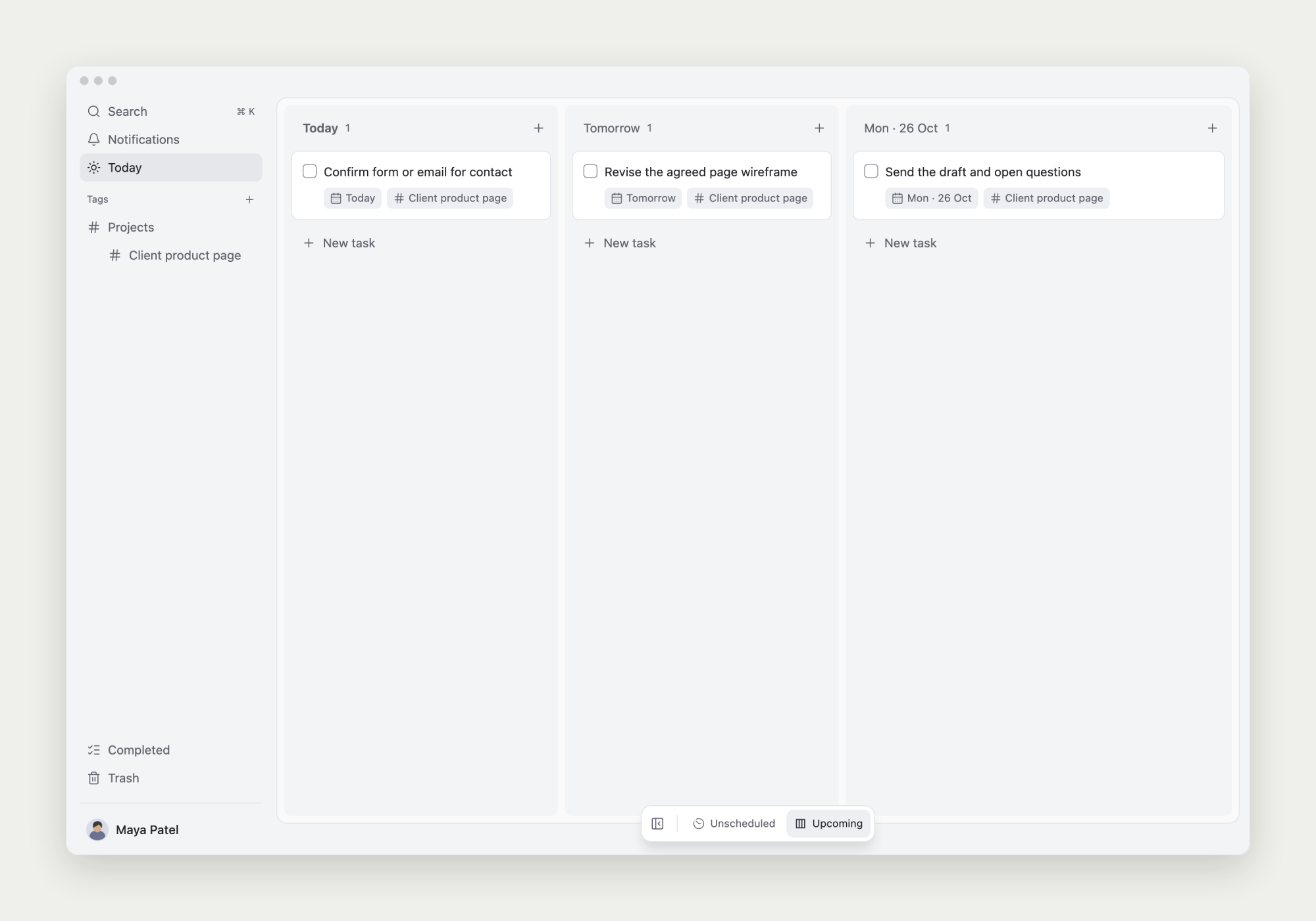
Subtasks with a start date automatically appear in the corresponding date lane alongside ordinary tasks, while keeping their parent relationship.
For a product page review, schedule ‘Confirm the contact method’ today and ‘Update the wireframe’ tomorrow. You can follow these steps in each day’s lane.
The board card and the subtask inside the parent’s note are the same task. Completing it in either place updates the other view and the parent’s progress.
Change a task’s parent
In the task menu, choose Make subtask…, then search for and select a parent. Use Move to top level to make it independent again.
Give individual steps their own start dates. The parent task still keeps their context and progress together.
Complete work when the result is ready
Check each subtask as you finish it. The parent’s progress shows which steps remain.
Complete the parent after its intended result is achieved. Keep the actual result, delivery link, and decisions in its note.