Product comparisons
TodoNote vs Todoist
When a task needs more than a title.
Choose TodoNote if you want each task to become a working note you can keep and revisit by topic. Choose Todoist if you want to organize to-dos around projects, dates, labels, and filters, with context in descriptions and comments. Both support notes and retain completed work.
Choose TodoNote for
Working through a task and keeping the note it produces.
Choose Todoist for
Organizing to-dos with context in descriptions and comments.
At a glance
| What matters | TodoNote | Todoist |
|---|---|---|
| Daily planning | Built-in task planning by day, with today and upcoming work together. | Organize tasks by project and date, with list and board layouts; calendar layout is on paid plans. |
| Working notes | Each task opens into an editable note for ideas, drafts, and decisions. | Keep context in task descriptions and add notes or files in comments. |
| Next steps | Create subtasks inside the working note and track their completion. | Break a parent task into sub-tasks that can be tracked separately. |
| Returning after completion | Completing a task keeps its note. Tags help you return to useful records across active and completed work. | Show completed tasks inside projects. Custom filters do not include completed tasks. |
| Organization | Use tags to collect related tasks and notes, including nested topic tags. | Use projects, labels, and custom filters. Beginner includes three filter views. |
| AI connections | Remote HTTP MCP with OAuth lets compatible clients read or update tasks and notes within granted permissions. | Todoist offers a hosted MCP server with OAuth for compatible AI clients. |
| Starting free | 100 items per account, including completed items and trash; attachments up to 5 MB per file. | Beginner includes five personal projects and files up to 5 MB. Paid plans expand limits and planning features. |
The same work, two approaches
Take an onboarding rollout: plan the work, write the proposal, and return to the record after completion.
-
Plan the rollout
TodoNoteCreate a task for the onboarding rollout and place it on the day you will work on it.
TodoistCreate the rollout task in a project and give it a date. Use your task views to decide what to do next.
-
Work through the details
TodoNoteWrite observations and the rollout proposal in the task. Add follow-up tasks for user trials and copy checks.
TodoistPut the current proposal in the description, record updates in comments, and create sub-tasks for trials and copy checks.
-
Return to the record
TodoNoteComplete the task when the work is done. Keep its topic tag so the note remains part of the records you can revisit.
TodoistComplete the task, then turn on completed tasks in the project to revisit it. Do not rely on a custom filter to include it.
Inside TodoNote
The plan and the thinking live together.
A product thought from Maya’s team meeting becomes a note under Areas/Product. Keep useful thinking connected to the work, then return to it by topic.
See how to write a working note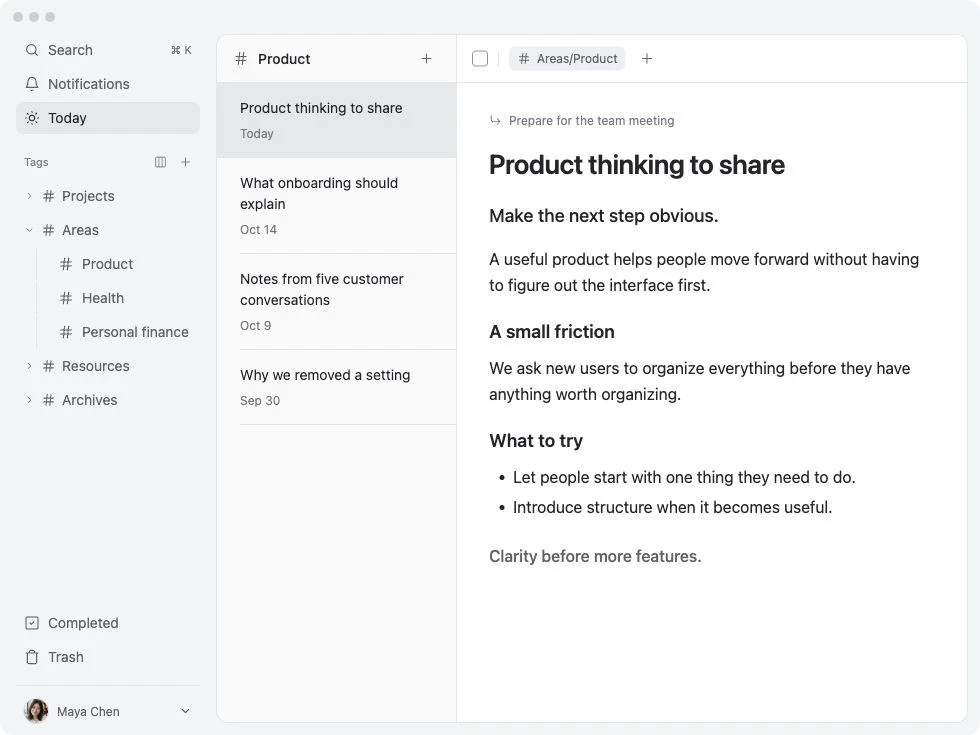
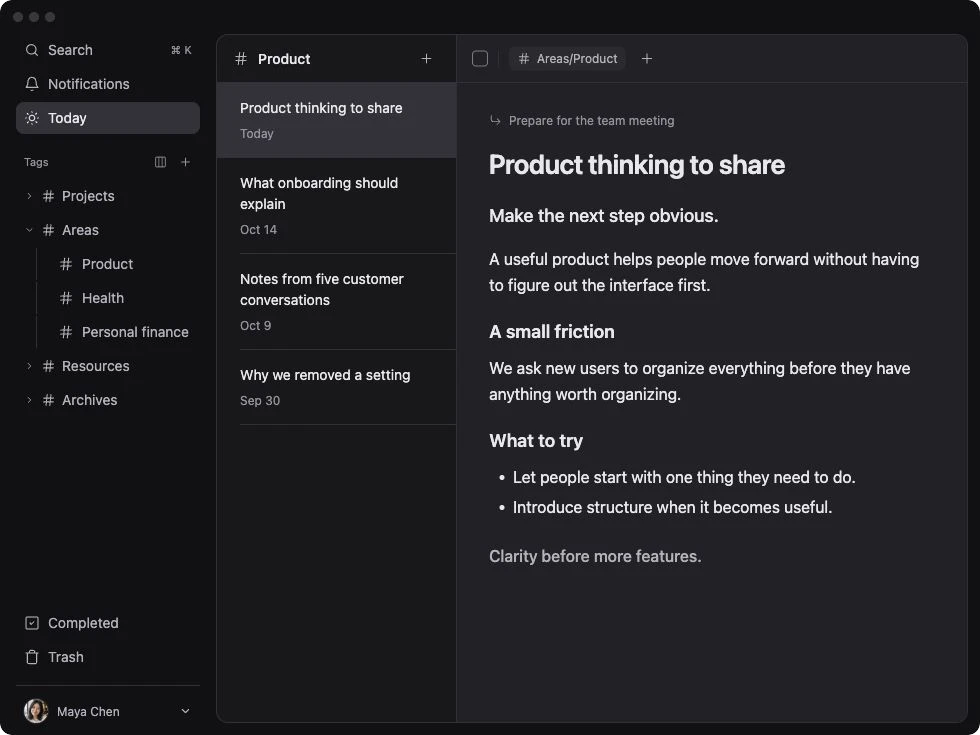
TodoNote demo workspace · a note from preparing a team meeting
Find your fit
Try reopening a piece of work after a week. If your description and comments already restore the context you need, Todoist may be enough. If you want those records to become a collection of topic-tagged working notes, try that workflow in TodoNote.
Choose TodoNote for
- Your tasks often involve research, drafts, or decisions.
- You want to keep editing the working note as the task develops.
- You revisit useful records by topic after the work is complete.
Choose Todoist for
- Projects, labels, and filters already organize your day well.
- Task descriptions and comments hold enough context for you.
- You need Todoist’s native iOS or Android app.
Questions before you choose
Can I write notes in Todoist?
Yes. Todoist supports task descriptions, comments, and attachments. TodoNote makes the editable note the body of the task and uses tags to keep useful records accessible by topic. Which structure suits you depends on the kind of context you keep.
Does Todoist delete a task when I complete it?
No. You can show completed tasks inside projects. Todoist’s official guide distinguishes completed-task access from Reporting history, whose available history depends on the plan. Its custom filters do not include completed tasks.
Which should I choose for mobile work?
Todoist offers native iOS and Android apps. TodoNote currently offers web access on mobile, plus desktop apps for Apple Silicon Mac and Windows x64. If a native mobile app is essential, include that requirement in your decision.
Try it with one real task.
Write the context, add the next step, and see whether you can pick up the work tomorrow.
Start for free