Start organizing note tags with a real retrieval question. Check the meaning and scope of each name: standardize true synonyms, use a hierarchy for a broader and narrower category, and keep distinct retrieval angles separate. Try a small set of notes and retrieve them again before redesigning the whole collection.
If every new note leaves you choosing between “Interviews,” “User interviews,” and “User research,” their relationship may be unclear. The goal is to make the next lookup easier, not to make every branch of the sidebar symmetrical.
How will you look for this note later?
A trial-pricing interview might be needed when reviewing recent interviews or when gathering all material about product pricing. One route follows research method; the other follows subject. Both can be useful if you can explain the purpose of each.
Create tags for retrieval questions that recur. A name, date, or temporary action used only once can often stay in the title or note. Add a tag when you actually need to gather records by that condition repeatedly.
Example: overlapping names scatter the records
Before cleanup, “Check trial-pricing feedback” has “Interviews” and “Materials.” A second record about plan selection has “User interviews,” while a question summary has “User research.” Opening “Interviews” shows only the first record, so it is an incomplete entry point for the related material.
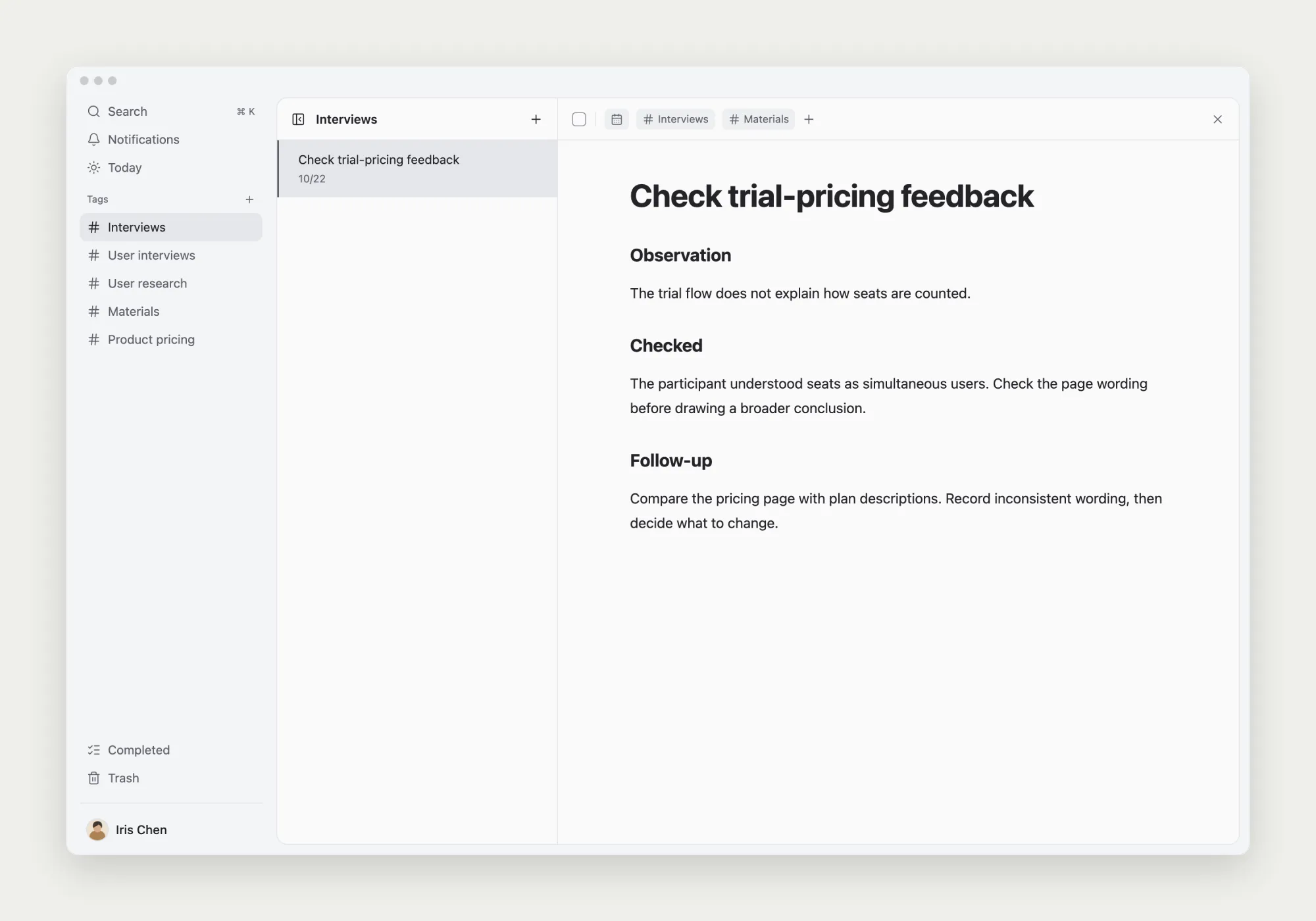
User research includes interviews and may also include surveys or usability testing. Similar names are not necessarily synonyms. Read the tagged notes before deciding whether the tags mean the same thing, describe a broader category, or represent different angles.
Give names a clear scope
If “Interviews” and “User interviews” both mean user interviews in this collection, choose one name. Keep “User research” as the broader parent. “Product pricing” remains a separate subject. Review what “Materials” contains and replace that vague association with a meaningful one where appropriate.
| Relationship | Example | Action |
|---|---|---|
| Same meaning | Interviews, User interviews | Check notes and choose one name |
| Broader category | User research and Interviews | Use a parent and child |
| Different angles | Interviews and Product pricing | Keep method and subject routes |
| Unclear scope | Materials | Read notes and add meaningful categories |
The same interview can carry “User research/Interviews” and “Product pricing”: one describes the type of research, the other its subject. Keep the concrete action in the task title and the observations and open questions in the note. Every detail does not need a tag.
When does another level help?
Add a child category when you repeatedly need a stable subset of a broader collection. Nesting “Interviews” under “User research” supports both the full research view and an interview-only view. You do not need empty survey or testing categories before that content exists.
A parent-child relationship should express a scope that contains another scope. Two topics sharing an owner or a week does not necessarily justify nesting them. Let actual navigation needs determine depth rather than giving every topic the same number of levels.
Change a small batch and retain the original notes
Review notes under “User interviews” and “Materials.” Add the meaningful associations and remove outdated ones on each relevant record. Place “Interviews” under “User research,” then check both the parent and child views. Change the classification without copying the original content into new notes.
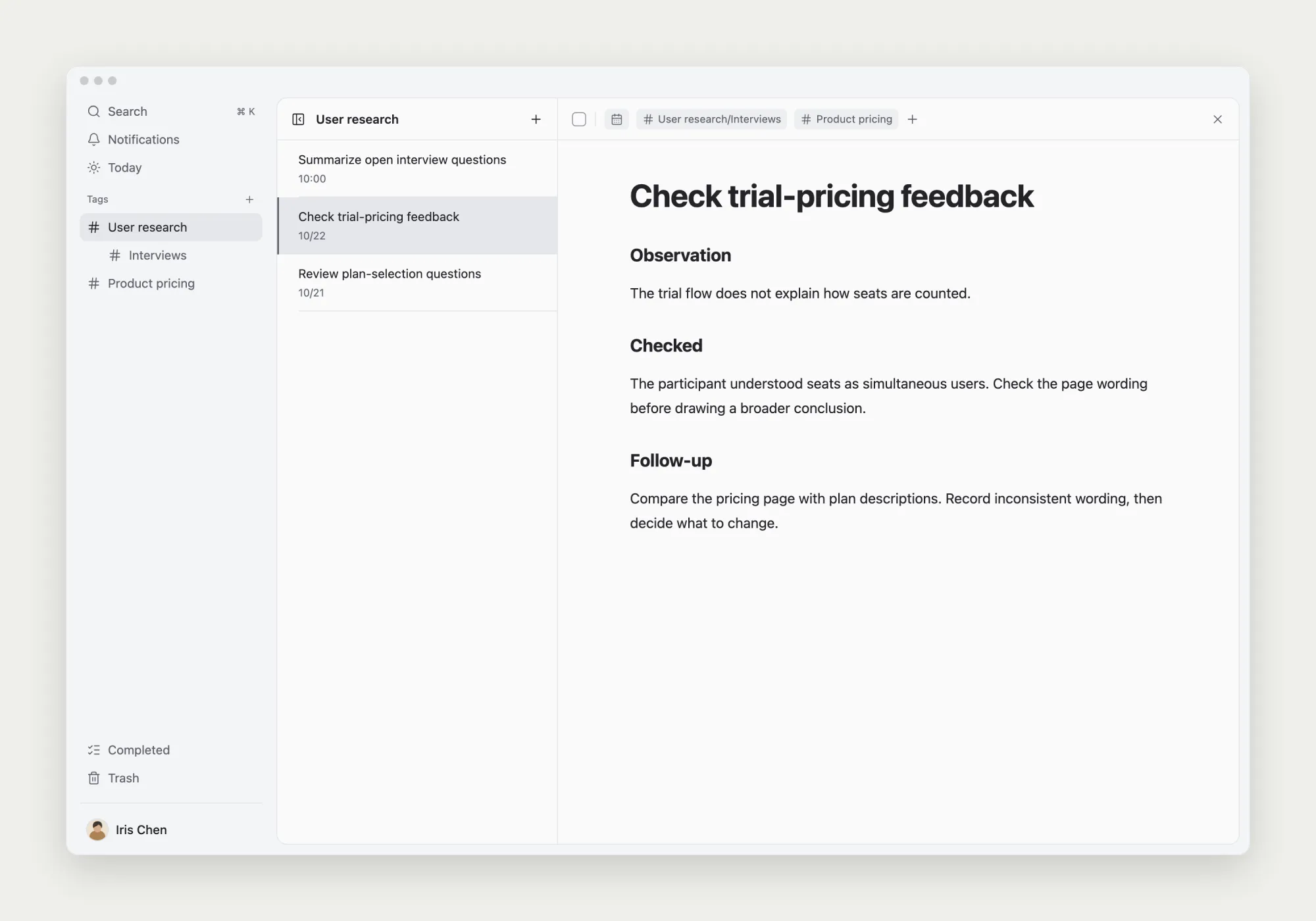
Afterward, the parent “User research” view contains interviews and the research-question summary. Its “Interviews” child narrows the list. “Product pricing” remains a subject route. The selected “Check trial-pricing feedback” is still the original record, with its title and note unchanged.
If an old tag also contains notes with a different meaning, keep and clarify it or handle those records separately. Before removing a tag, check its associated records and children. An empty-looking view alone does not establish that the cleanup is complete.
For the records inside those categories, use a consistent interview notes template that separates observations from interpretation. Tags gather the notes; the note itself preserves what each participant said and what remains to check.
Test the routes you intend to keep
Can you find a particular interview, the wider research summary, and the same record through product pricing? Check the main routes you kept, not just the note you most recently opened.
Before adding another tag, look for a suitable existing name and define what belongs under it. When duplication or difficult retrieval appears, adjust the relevant part. A tag system can grow with the work without requiring a complete reclassification each time.
Further reading: Bear’s guide to organizing tags introduces tags and nesting. This example applies naming and cleanup decisions to task notes in TodoNote; follow its current interface for the actual operations.