PARA groups notes into projects, areas, resources, and archives. Choose a category by asking what you need the record for now: a deliverable, an ongoing responsibility, a reference topic, or inactive material worth keeping. Revisit the category when its use changes.
Tiago Forte introduced PARA. His original explanation organizes information around current projects and goals. The help-content example below shows how to make those distinctions and implement them with TodoNote tags.
A practical table for the four PARA categories
| Category | Question to ask | Help-content example |
|---|---|---|
| Projects | Is there a specific outcome to finish? | Deliver this round of help updates |
| Areas | Is this an ongoing responsibility? | Maintain customer support content quality |
| Resources | Is this useful for reference or learning? | Writing patterns, terminology, screenshot guidance |
| Archives | Is it inactive but worth keeping? | Records from a finished update |
Define a finishable scope for the help update: revise the quick-start guide and export instructions. Customer support continues after those changes ship. The update is a project; maintaining support quality is an area.
Start with a project you are working on
In TodoNote, create Projects → Help content update and apply it to tasks such as “Revise export instructions” and “Check quick-start steps.” The export task’s note holds the problem, reasons for the change, and delivery result. The task represents the work to finish.
The issue is concrete: “click Export” does not say where the button is. Add the navigation path and check its labels against the current interface. Keep that reasoning in the revision note so a later check can establish what changed and why.
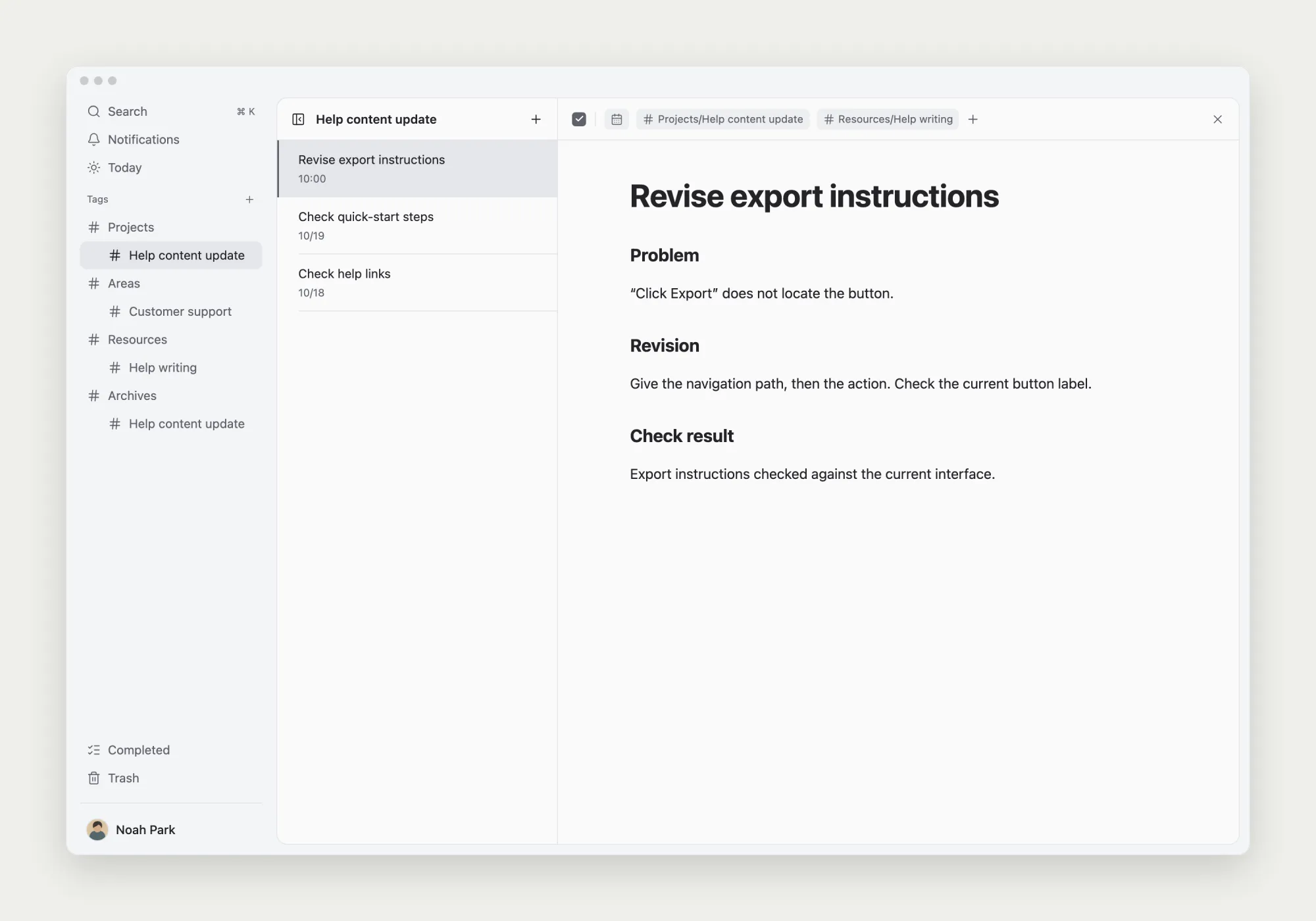
PARA categories and task status answer different questions. A project can contain completed revisions and checks that are still open. Finishing one task does not finish the whole project; deciding where to retrieve a record is separate from deciding whether its work is done.
An area and a resource can concern the same subject
The distinction is responsibility. A Customer support area can hold maintenance standards and recurring issues. A Help writing resource can hold techniques used across projects. Both concern help articles, but you would open them for different reasons.
Build categories as you need them. Add an area when you have something to maintain and a resource when you have material you expect to reuse. A topic with one or two useful notes does not automatically need several more levels of classification.
What if a note has more than one use?
The export revision records a project decision and a reusable writing pattern: give the location, describe the action, and verify interface labels. If you expect to look for that pattern again, add Resources → Help writing to the same task.
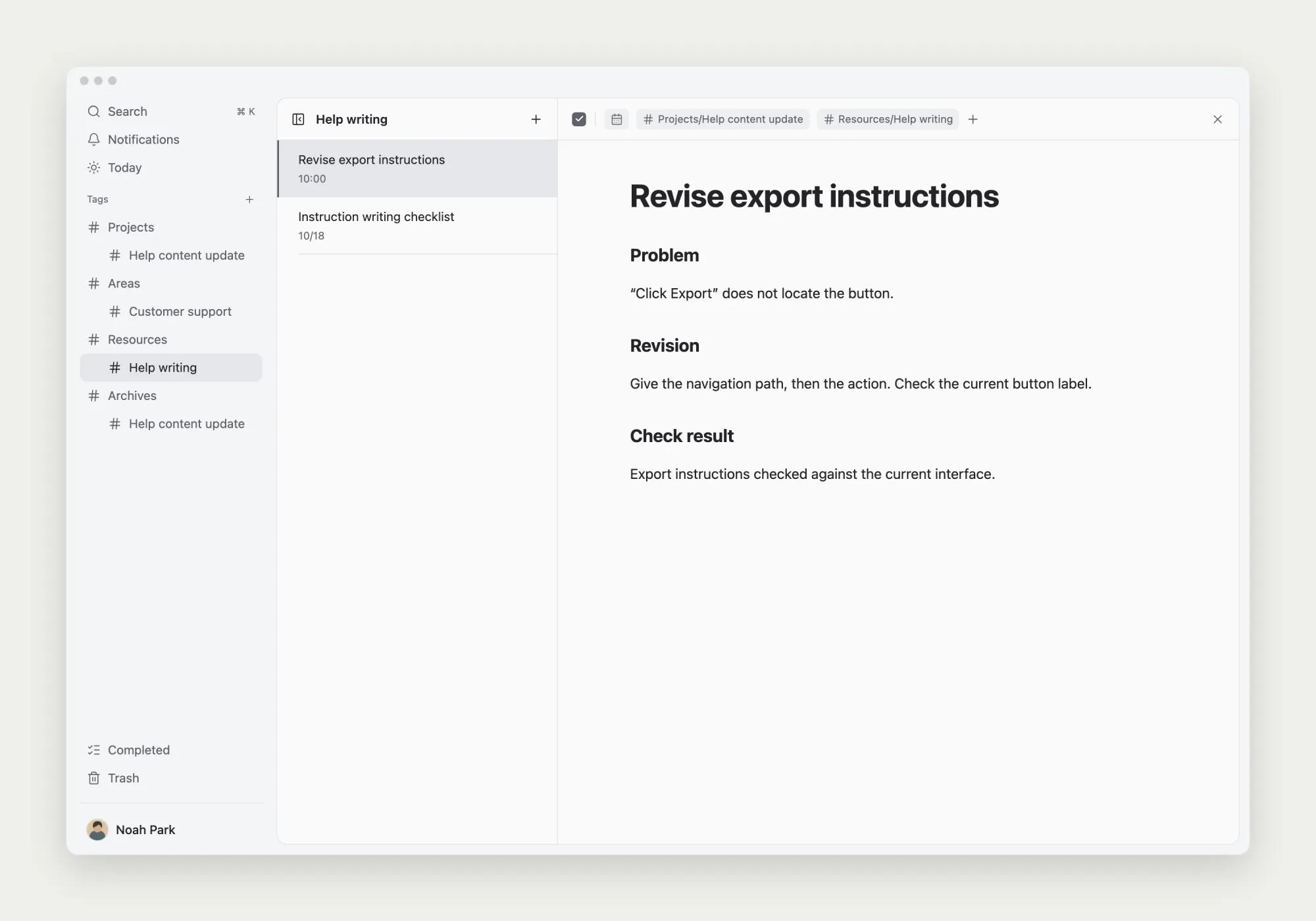
This is one way to implement PARA with TodoNote tags. The project and resource entries open the same record, so there are no two copies to keep in sync. Add the second tag for a real retrieval need rather than another word that sounds related.
If the note grows, a separate methods note may become useful. Extract the parts that apply across projects and link to the original revision for context. Do that when the new note has a clear use.
Handle completion and archiving separately
Check the agreed delivery scope before ending the project. Here, both the quick-start and export updates must be published and checked. Completing only the export task leaves the other work in the current project.
After delivery, replace the project tag on the relevant records with Archives → Help content update. Archives is a tag you create for organization in this setup; task completion remains a separate state. Keep Resources → Help writing on records that still serve as writing references.
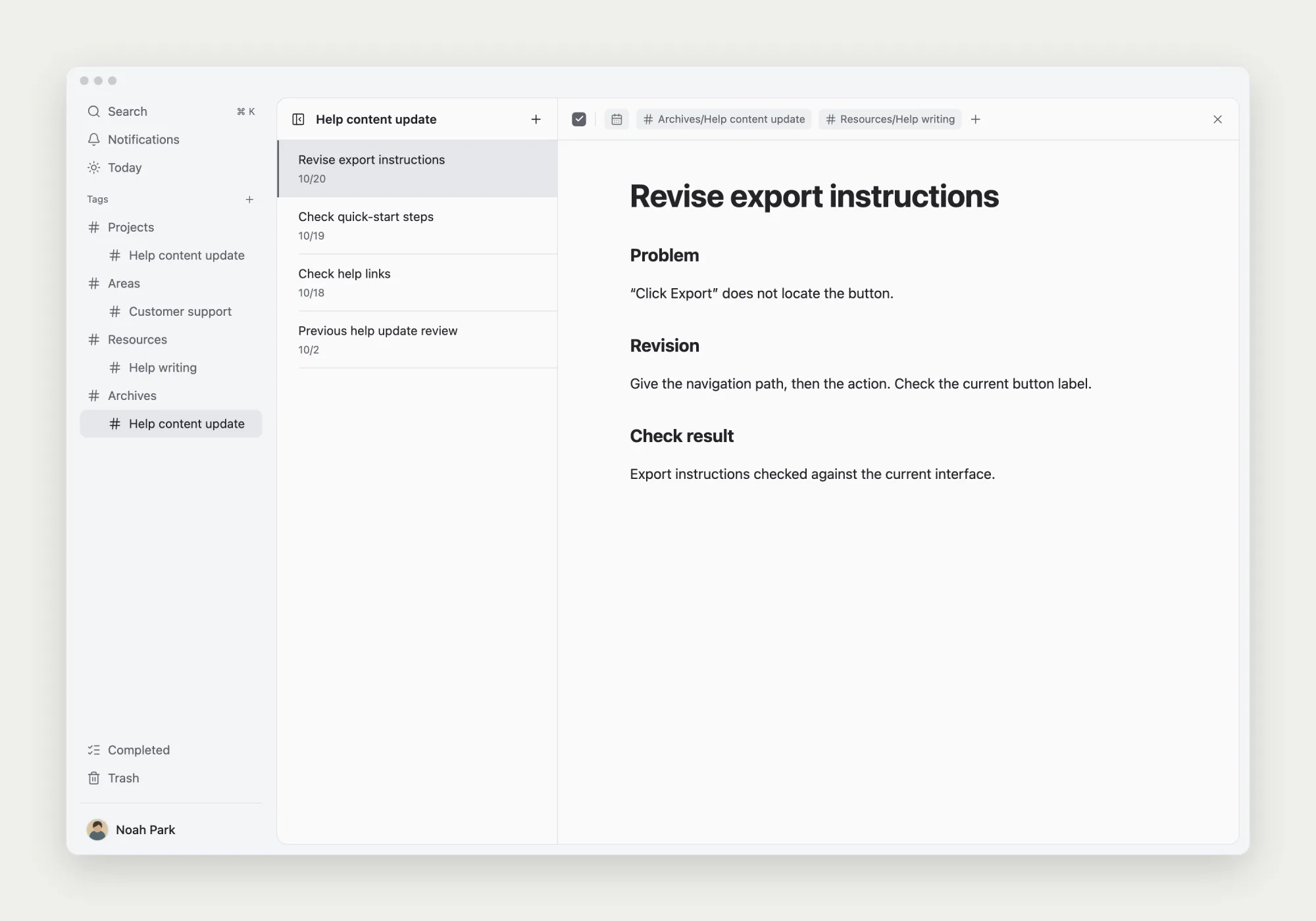
There is no need to delete the source record or move the whole note into a different document. For a later update, use the resource tag to find the method and the archived project to check its original context. Reclassify records if a project becomes active again.
Test the categories with an actual lookup
Try one active project first. Create an entry point for the delivery, tag its tasks and notes, and retrieve a reason behind a change. If you can find what you need where you expected it, continue the work. You can organize older material when a real need arises.