To review your working week, check what you delivered, examine unfinished tasks, and add work that arrived outside the plan. Use the notes behind those tasks to decide what to continue, change, or stop. Turn each decision that needs action into a specific next step, then choose when to start it.
Memory can reduce a whole week to “busy.” A count of checked boxes misses whether important work moved forward. A useful review connects results and working notes to the choices you make for next week.
Check the record before judging the week
Look through the week’s tasks and notes alongside your calendar, meeting notes, and incoming requests. Confirm the output of completed work, identify open commitments, and capture work you did without adding it to the plan. Mark finished tasks complete and keep work that still needs attention open.
Consider a support specialist’s week: the quick-start guide shipped, the export instructions are still waiting for review, and three unexpected customer questions needed investigation. These records distinguish planned work, actual output, and additional commitments.
If a note only says “handled customer issues,” add the relevant result: “Checked three export questions; each asked where the button is.” Keep enough detail to support the decision without copying every conversation into the review.
Make a new decision about unfinished work
The export revision has moved between dates all week. Its note shows that review comments have not arrived. The next action is to confirm when the review will happen. Moving “revise instructions” to another day does not supply the missing input.
In TodoNote, create a review task and write the deliveries, blockers, and proposed changes in its note. In this example, the note connects the published guide and the missing review comments to a decision to follow up first.
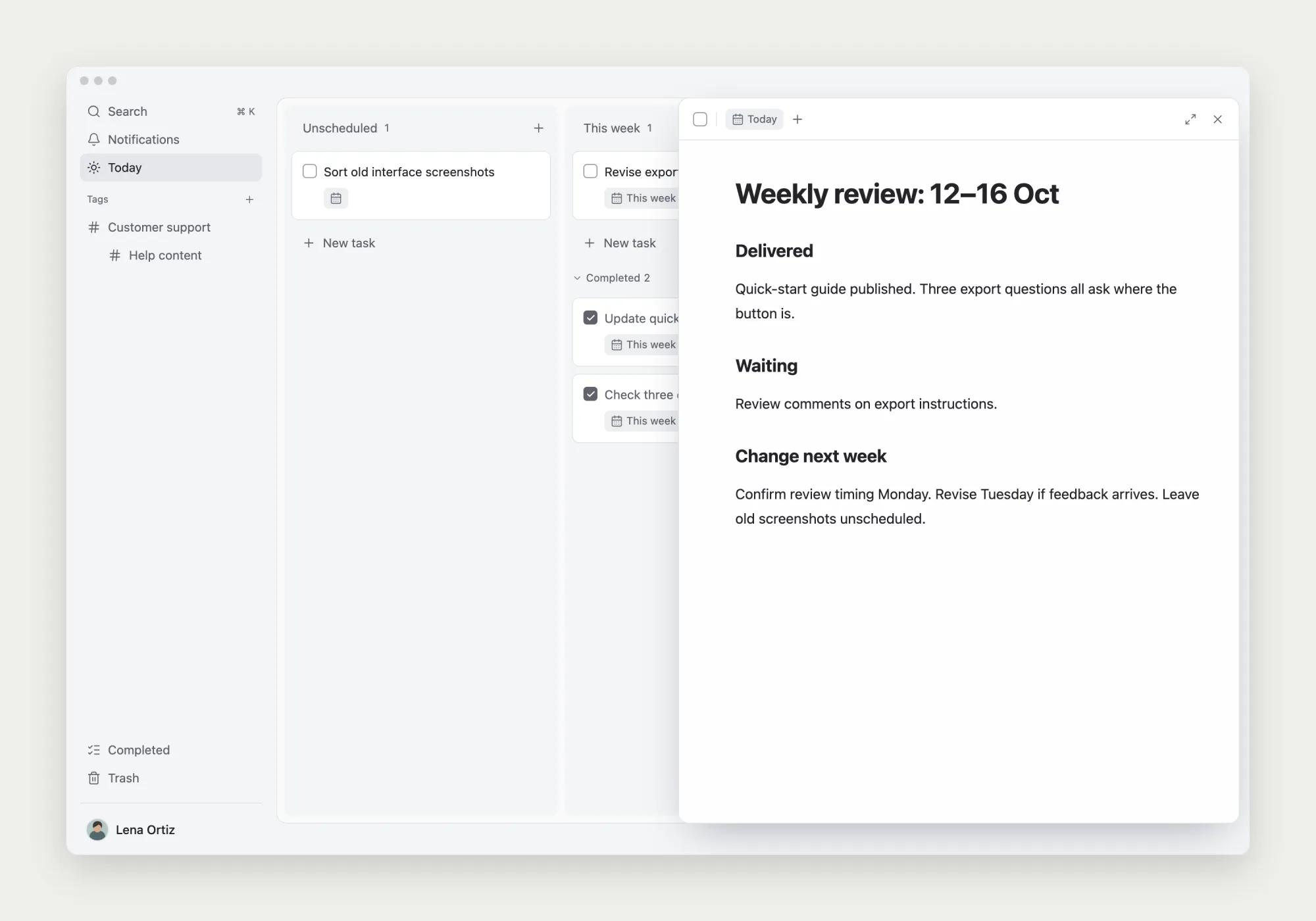
For each open item, ask whether it still matters, whether the scope is manageable, and whether an input is missing. Continue with a clear next step, reduce the deliverable, arrange a follow-up, or remove work that no longer belongs in the current plan.
Make stopping concrete too. Sorting screenshots of an old interface no longer supports the current help update. Remove it from next week’s commitments. If the images might be useful later, leave the task unscheduled rather than assigning an arbitrary date.
A weekly work review template to copy
Use this as a personal review and remove fields you do not need. Where possible, connect a conclusion to a task, note, or deliverable. Fill gaps in the record before trying to score your performance.
Weekly work review | Date range:

1. Delivered
- What was finished?
- Where is the result or record?

2. Open and unplanned work
- What remains unfinished?
- What input, scope issue, or blocker matters?
- What did I do outside the original plan?

3. Changes for next week
- What will I continue?
- What will I reduce, defer, or stop?
- What supports that decision?

4. Next actions
- Specific action and completion condition:
- Planned start:
- Delivery deadline, if one exists:
- Follow-up date for anything I am waiting on:Put the decisions into next week’s plan
For the export guide, follow up about review timing on Monday. If the comments arrive as expected, plan the revision and button-name check for Tuesday. That revision depends on the feedback; if the review slips, change the plan rather than treating waiting as work already underway.
A start date says when you intend to begin; a due date says when delivery is required. TodoNote uses the start date to place a task on the date board. Add a due date when there is an actual deadline.
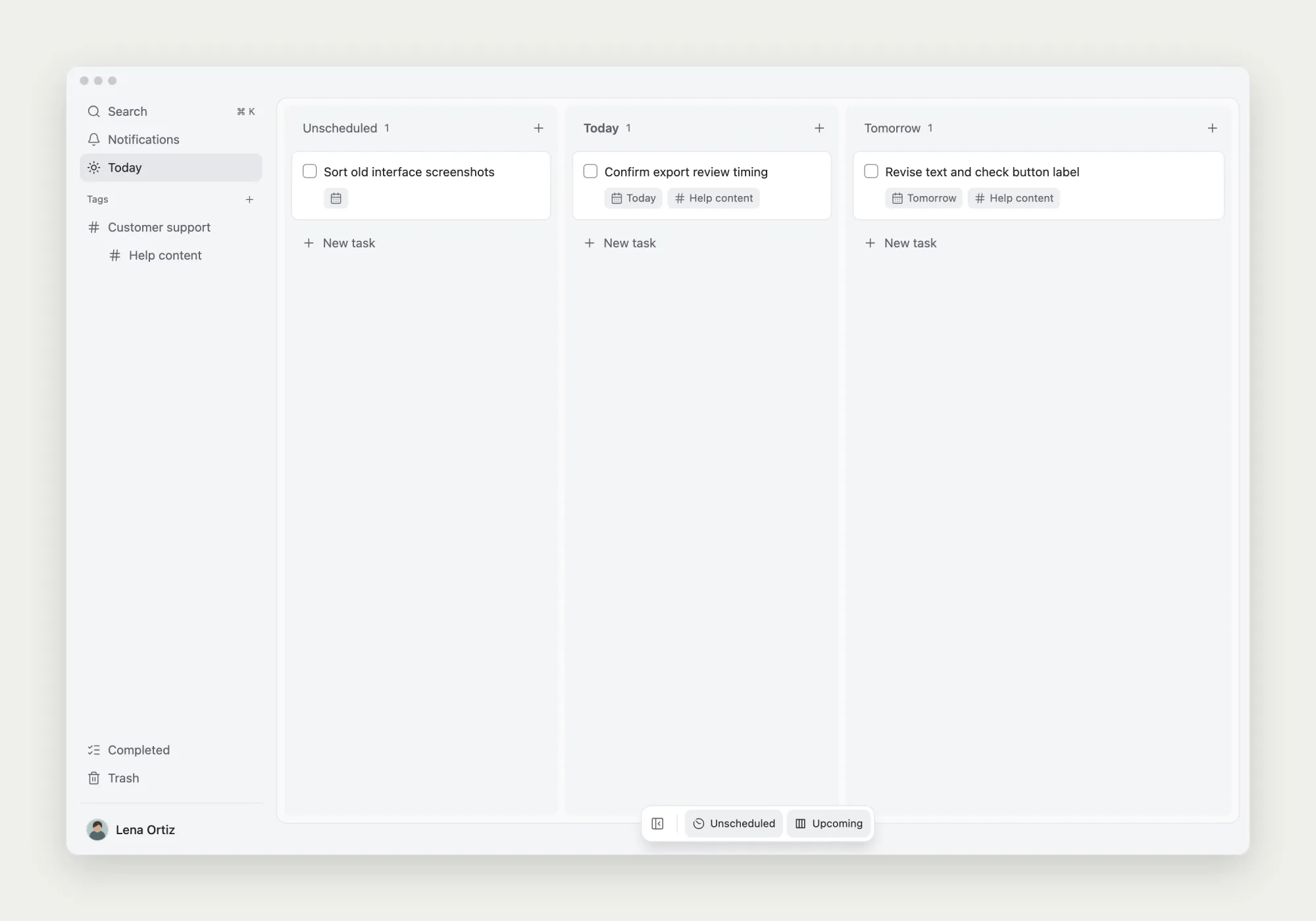
Leave screenshot sorting unscheduled until you decide to work on it. A review does not need to clear every old task or fill every day. Reserve time for actions that advance important outcomes and leave room for incoming work.
Keep the review small enough to use again
When existing notes are sufficient, record only the important changes and decisions. Leave detailed working notes with their original tasks and refer back by title or link. At the next review, check whether the previous change happened and still makes sense.
If you also submit a team status report, use the same facts to extract deliveries, risks, and next steps. A report for colleagues and a review for your own planning can share evidence without needing identical wording.
Further reading: David Allen’s GTD Weekly Review guidance covers reviewing actions, calendars, and projects. Adapt the template here to the responsibilities you actually manage.