Keep one dated view of work across projects and give each task a project tag. The tag tells you where to find its notes. The dated view shows what fits today across all projects, including work that unblocks someone else.
Bring one next action from each project
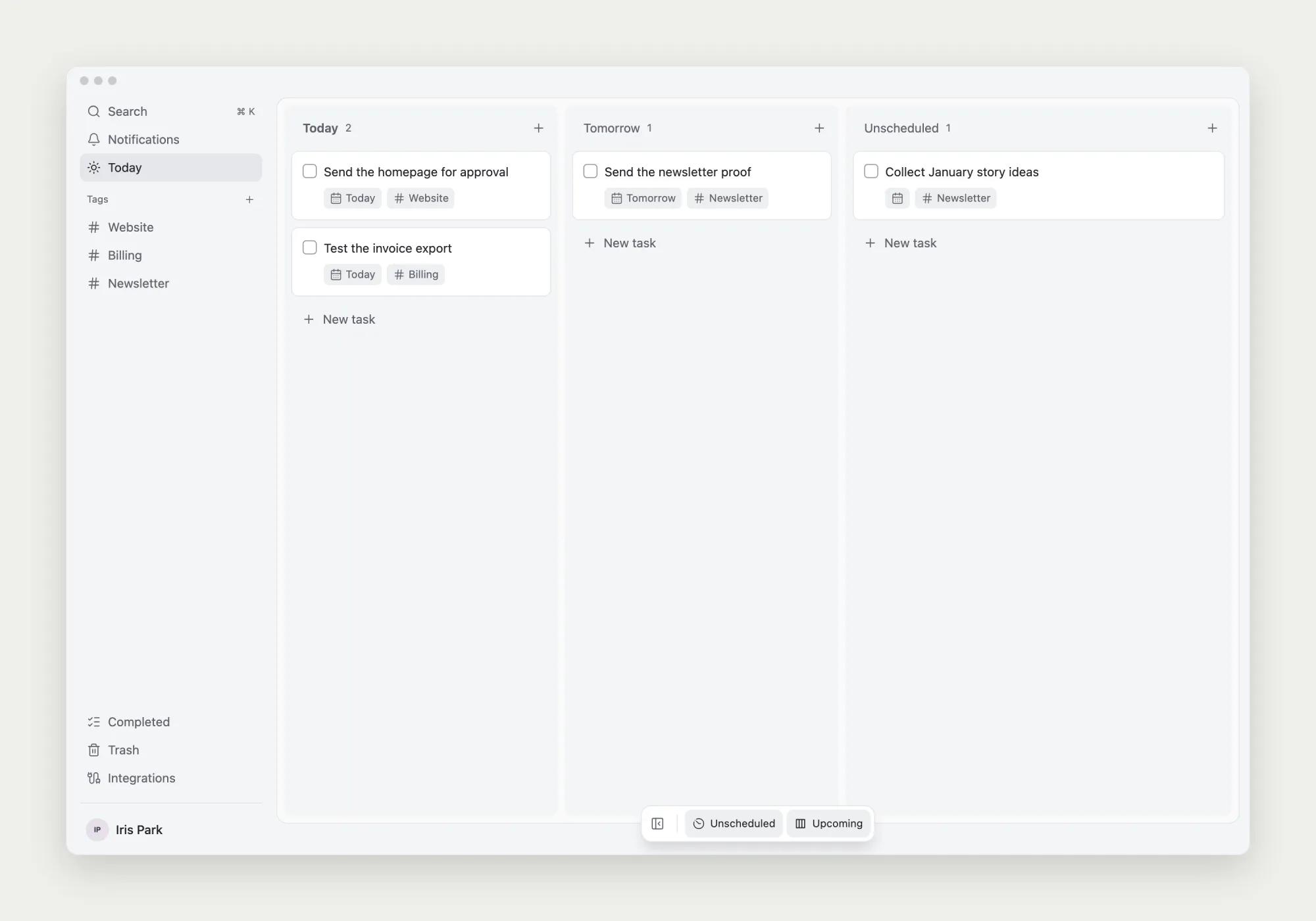
Iris is working on a website, a billing update and a newsletter. Each project has background and ideas, but only the next work she can actually do gets a start date. Story ideas remain unscheduled while today’s board contains the actions that can move work forward.
Use a deadline when a client or reviewer expects a result. Use the start date to indicate when you will work on it. That lets you begin an approval cycle earlier even if the promised delivery date matches another task.
Order actions by the cost of waiting
| Next action | Constraint | When to start |
|---|---|---|
| Send the homepage for approval | The reviewer needs a day | Today, first |
| Test the invoice export | Billing closes this afternoon | Today, before close |
| Send the newsletter proof | It needs the editor tomorrow | Tomorrow, in the morning |
Two tasks can share a Friday deadline and still need different start dates. Put the homepage in front of the reviewer while you can do the billing check without waiting for a reply.
If the urgent items still exceed your available hours, ask which deadline can move. Make that choice while you can still reach the people who are waiting.
Look at the board, then open the project
In TodoNote, add a project tag to each task and open the board to compare dates. To check why the homepage copy changed, open the website tag and its task note. Keep a single task for each action so completion is visible from either view.
If a review slips, update the next action explicitly, such as “check homepage approval at 11”. Keep the original request and the reviewer’s name in the note.
Run a short cross-project review
Before ending the day, see which project has no actionable next step. If it is waiting on somebody, give the follow-up a date that allows time before delivery.