When an appliance fails again, useful history is specific: which unit, what happened, what the technician did, and whether the symptom returned. Keep a dated task for each repair and connect them with an equipment tag, so the next conversation starts with facts.
A payment receipt alone rarely explains the work. “Fixed” may mean a short on-site check or several later uses without recurrence. Recording service work and subsequent observation separately preserves that distinction.
Identify the right appliance
Use a recognizable tag such as the room and appliance name. Keep the model, purchase information, and document locations in a durable equipment note. A nameplate photo helps distinguish similar units in different rooms.
Record each repair separately by date. The equipment information stays easy to find, while different visits retain their sequence instead of becoming one undated paragraph.
Describe the symptom before guessing the cause
“Water dripped below the indoor unit after use” is an observation. A claim about a failed component is a diagnosis. Save the time, operating conditions, visible symptom, and photo location for the service conversation.
Leave disassembly and electrical or refrigerant work to the appropriate service professional. The personal note records communication and job sheets; it does not need to become a repair tutorial. Preserve the technician’s account as such.
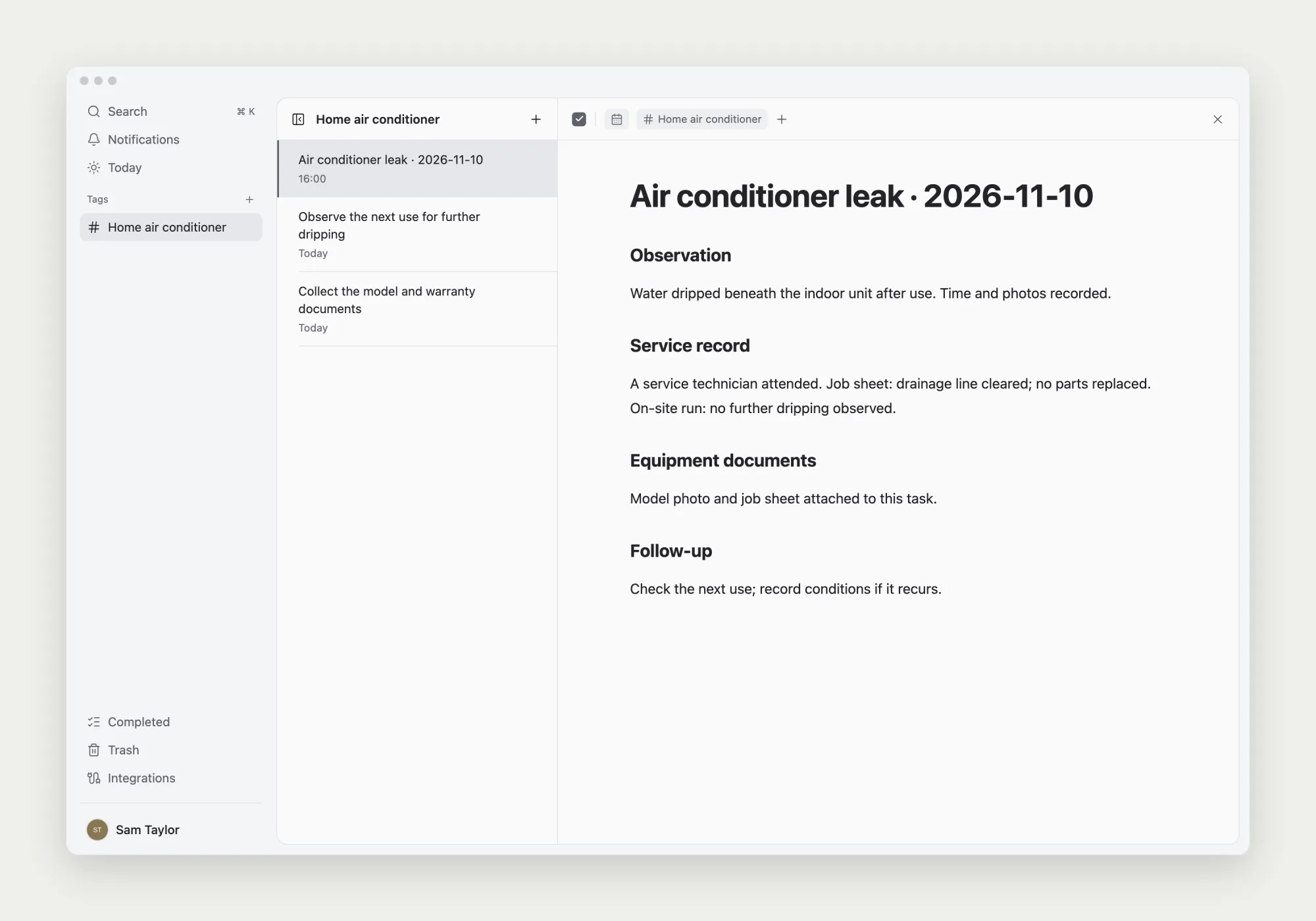
Separate the visit from what happens afterward
If the job sheet says “drainage line cleared; no parts replaced”, record that. “No dripping during the on-site run” describes that check. A separate follow-up task can capture what happens during the next actual use.
For replaced parts, keep the name, job reference, and confirmed conditions. Store the cost and receipt location together. Formal documents and agreements remain the basis for any service terms you later need to check.
Read the history before making the next call
Open earlier tasks under the equipment tag. Compare the symptom, conditions, and interval since the previous work. Share known records with the service provider while leaving the cause for inspection.
In TodoNote, complete the service appointment and keep the observation task open. The completed state then describes work already done without implying that a future result has been established.
A repair record to keep
Appliance / location / model:
Date and operating conditions:
Observed symptom:
Photo or video location:

Service date / job reference:
Work recorded by the technician:
Parts / receipt location:
On-site check result:

What to observe next:
Later use and result:
Questions for the service provider:Maintenance notes preserve what happened, as well as what needs doing. For organizing equipment history, see note tags based on retrieval needs.