Keep each reminder in its project list, add a shared tag like #waiting, and save a Smart List for the filter you use repeatedly. The tag marks each item. The Smart List brings matching items together from their original lists.
Tag the reminders in place
Create one reminder in each of three project lists. The venue confirmation and translation review are waiting on replies. The packaging proof is urgent but currently in your hands.
Put #waiting on the first two. Also add #urgent to the venue reminder, and add only #urgent to the packaging proof. On iPhone, you can add tags when editing an item and select them in the Tag Browser. Apple’s guide to tagging reminders
Start by clearing the selection in the Tag Browser. Then select both tags; otherwise a tag from an earlier search can change the results you are checking.
Check what any and all will display
| Filter | Result |
|---|---|
| Waiting or urgent (any) | Venue, translation, and packaging |
| Waiting and urgent (all) | Venue only |
| Waiting only | Venue and translation |
Use any when either condition makes an item worth reviewing. Use all when you want the smaller intersection. For Friday’s list of replies to chase, the waiting tag alone is enough.
Select the tags and choose Create Smart List from the More menu, or create a Smart List and edit its filters. Check the list name against what it actually matches before saving. Apple’s Smart Lists guide
Review the replies without losing project context
Aiko opens the waiting view on Friday and sees the venue and translation reminders. She checks the original vendor thread and sends a follow-up only where the reply is still missing.
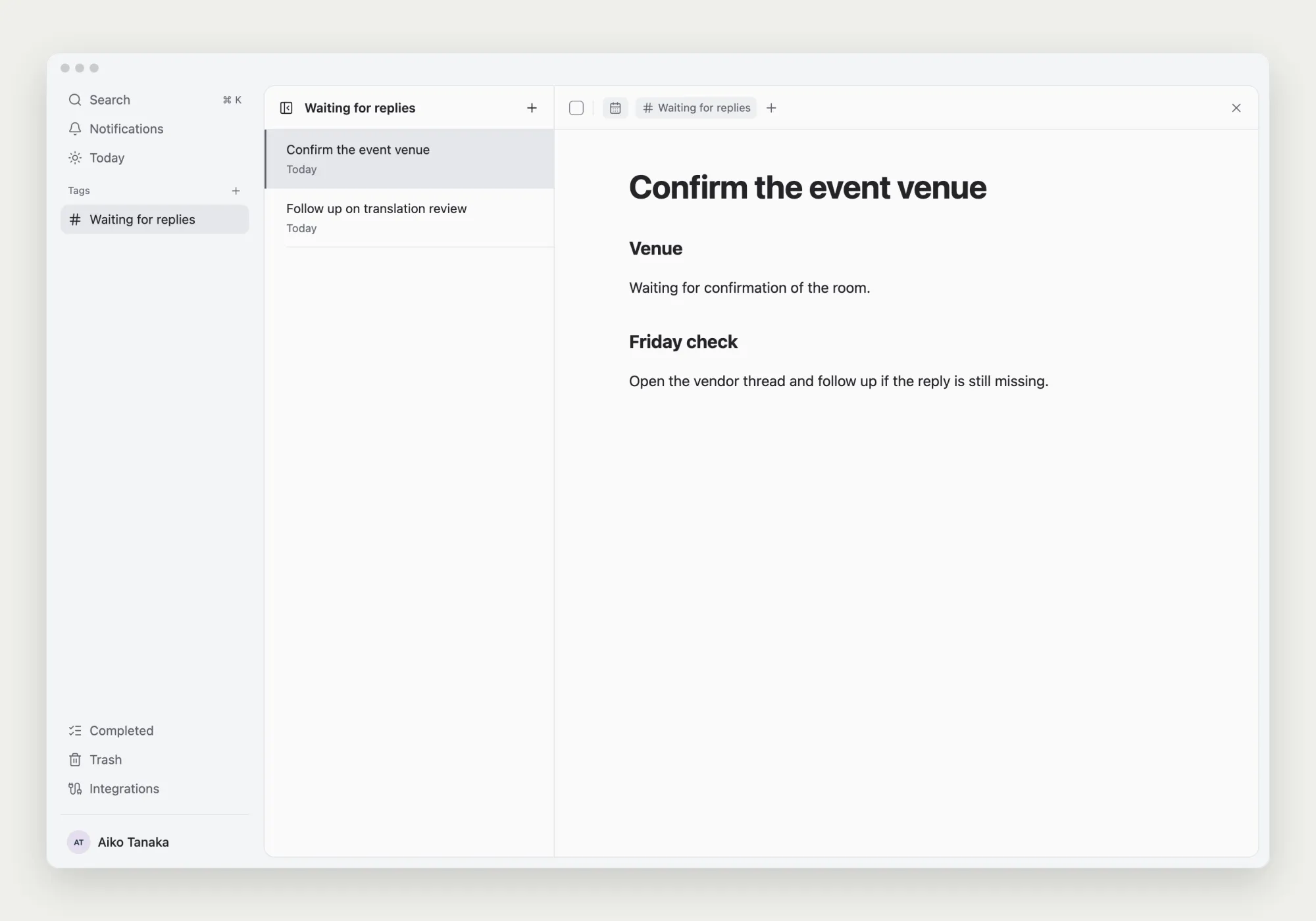
In TodoNote, she can use a waiting tag on task notes across projects. Keep the date and wording of the last request in each note so opening a result gives you enough context to follow up.
When a reply arrives, remove the waiting tag if the marker has served its purpose. Keep any durable project or topic tags so the outcome stays easy to find.
For a fuller system, see how to organize work notes with tags.