A weekly status report should explain the most important progress, the results delivered, the blockers affecting delivery, the support needed, and the next steps. Connect each point to an actual result or record. Readers should be able to tell where the work stands, what is missing, and whether they need to act.
Start with the audience. A project lead may need to judge whether training can go ahead; a colleague may need to know when to take over. Select information around those questions rather than reconstructing a daily activity diary.
Check the week’s records first
Review completed and open tasks alongside their notes, deliverables, and agreed dates. Include unplanned work as well. Separate what exists now, what is waiting, and what you intend to do next week. A completed checkbox gives a task status; the report still needs to say what was delivered.
The October 19–23 example concerns training planned for the following week. The slide draft is ready for review, the rehearsal is blocked by test-account permissions, and the attendee list still needs client confirmation. These are three different states and should be reported separately.
Turn activities into results people can check
“Worked on slides, coordinated, prepared a rehearsal” describes effort. “Slide draft submitted for review; exercises will be adjusted after the attendee list is confirmed” gives the result, its state, and the remaining work.
Use progress numbers only when their basis is clear. Chapter counts can help if the chapters and completion criteria are agreed. Checking one task does not establish a percentage for the whole project. “Draft ready for review; hands-on demonstration not yet validated” may be the more accurate description.
Example: find the delivery risk in a rehearsal note
Open “Check the training demonstration” in TodoNote. The note identifies the actual obstacle: the test account cannot access the page needed for the exercise. The rehearsal remains open. This affects validation of the hands-on section, while the slide draft is already available.
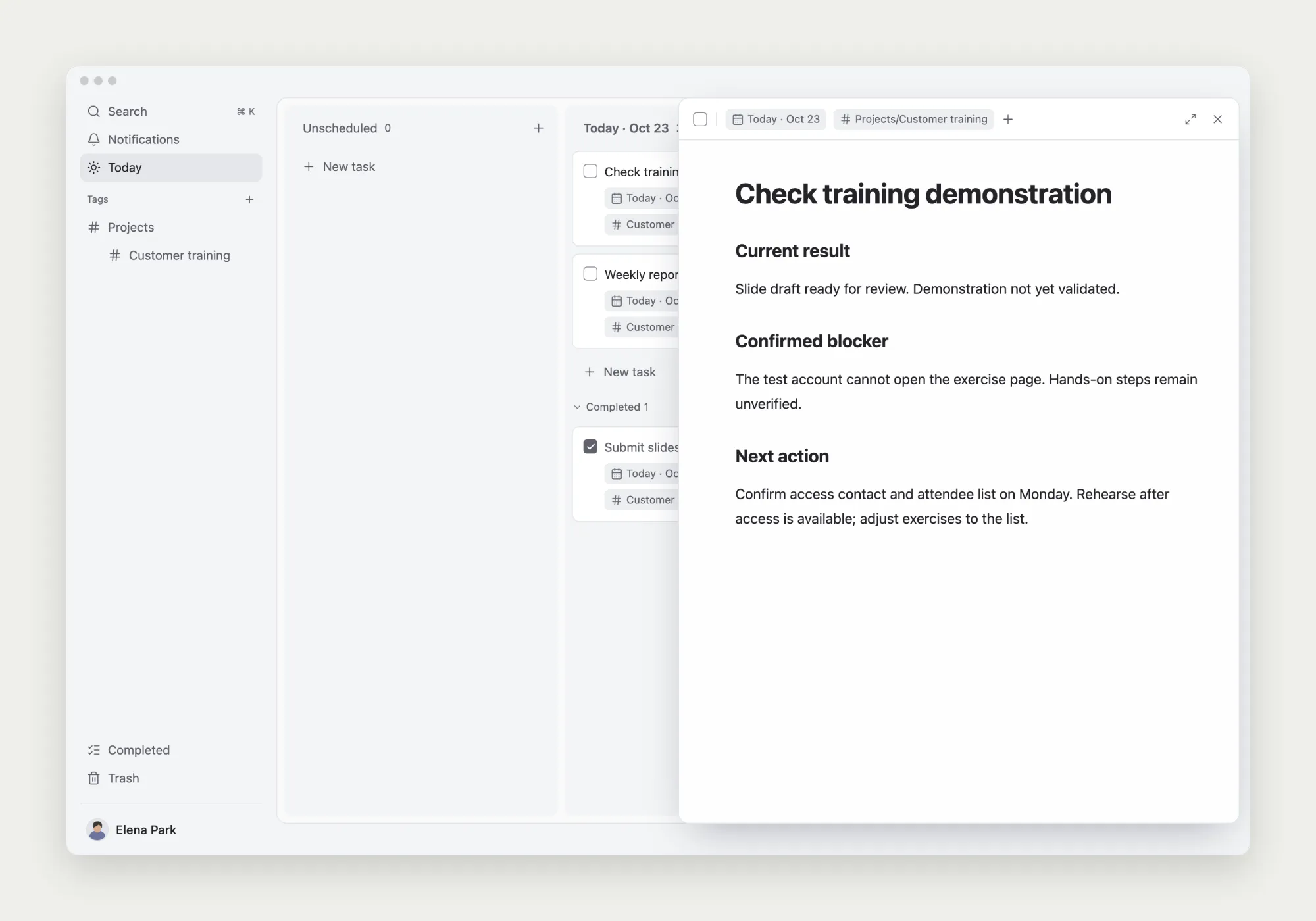
Keep the issue, impact, and required action in the report. Detailed troubleshooting can stay in the original task. Point readers to the task name, an accessible record, or a link when they need to check the source.
Make blockers and requests specific
“Support needed” leaves the response unclear. A useful request is “Project lead: confirm the permissions contact on Monday; rerun the rehearsal once access is available.” For the attendee list, ask the client contact to confirm it on Monday so the exercises can be adjusted.
Distinguish a current issue from a future risk. Missing access is confirmed; if it remains unresolved on Monday, the hands-on section may need to change. Label an estimated resolution date as an estimate and record whether anyone has actually agreed to it.
A weekly report template you can copy
Choose the length and fields around your audience and workload. If there are no new risks, say so; remove fields that add no useful information. Keep the facts people need for judgment and coordination.
Weekly report | Period:
Key update:

Results and deliverables:
- Result / current status / source:

Blockers or risks:
- Issue / impact / current action:

Support needed:
- Who / what input / when needed:

Next week:
- Next action / conditions / planned timing:The template separates results, issues, and requests. A personal weekly review can use the same evidence, while the report prioritizes what its recipients need to understand or coordinate. Detailed investigation and personal reflections can stay in working notes.
Build the report from the checked records
Create “Weekly report | Oct 19–23” and write the summary in its note: slide draft submitted, practical validation blocked by access, and confirmation needed on Monday for both the permissions contact and attendee list. Next week’s work is to adjust exercises and repeat the rehearsal after access is available.
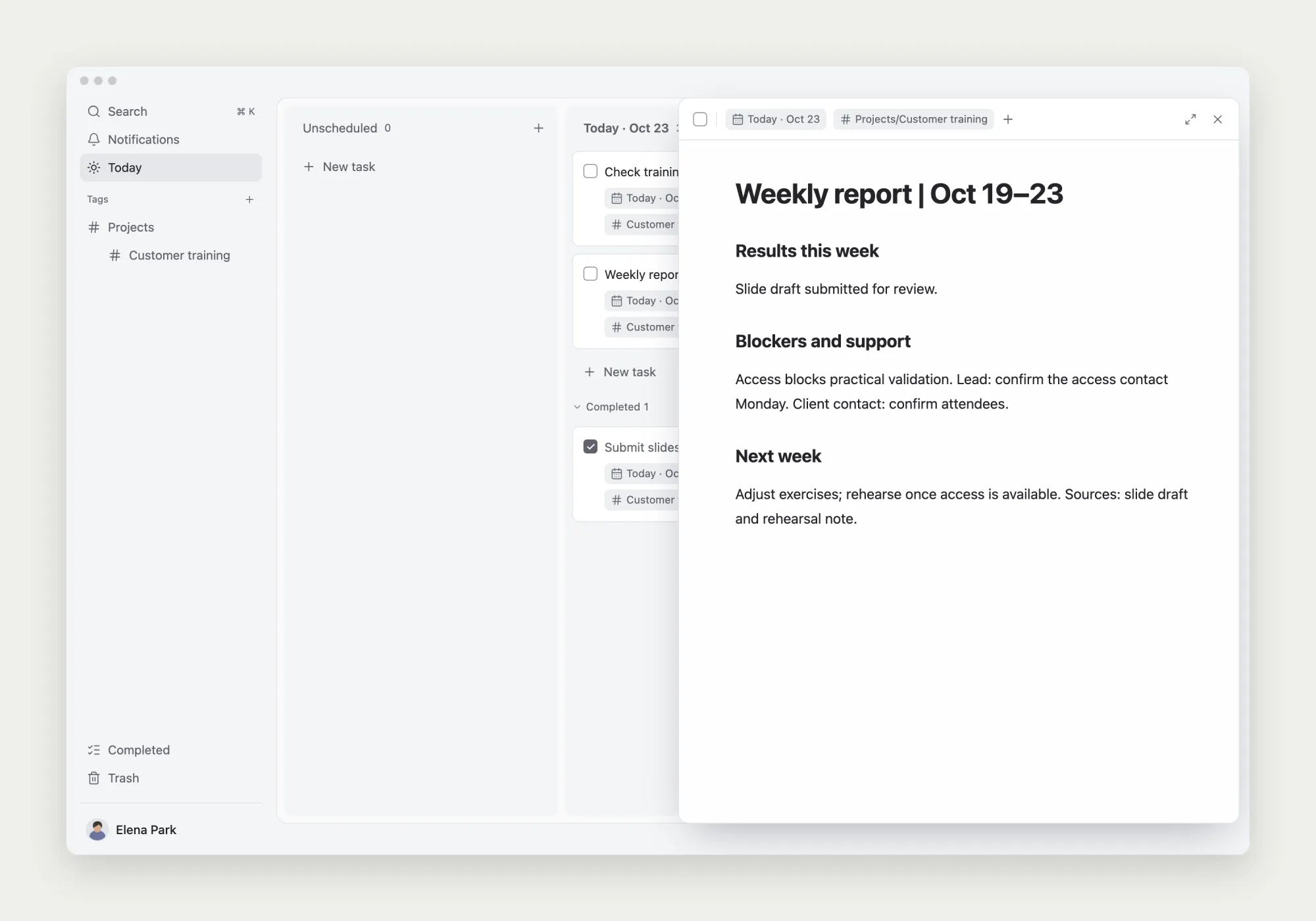
“Repeat the rehearsal after access is available” has a condition. Monday’s action is to confirm access and attendees; the rehearsal date depends on that response. Readers can see both the intended work and its dependency without mistaking a waiting action for a finished result.
Check three things before sending
Can each result and status be checked against the original record? Does each request say who needs to provide what and when? Do next week’s actions address the current blockers? Also check that recipients can open linked material and that it contains only information they need.
Send the report through your team’s agreed channel and put follow-up feedback into the relevant tasks. TodoNote keeps the working context and the prepared summary; use your existing communication process to deliver the update.
Further reading: Asana’s project update guide covers accomplishments, blockers, next steps, and requested support. This example applies those ideas to a manually prepared weekly work report.