A task list identifies work; a calendar helps you decide when capacity is available. Give fixed appointments a time, reserve blocks for work that needs protection, and keep deadlines as delivery constraints. An action without a chosen working time can stay on the list.
These roles can exist inside one application. Google Calendar supports creating and scheduling tasks, for example. The useful distinction is between information types, not a requirement to use two tools.
Separate four kinds of time
A Thursday 2 p.m. review is an appointment. Wednesday 10–11 a.m. preparation is a work block. Submitting the material before Thursday noon is a deadline. Exploring new icons might remain unscheduled.
Identical all-day entries would hide those differences. In particular, a deadline does not reserve the preparation time needed to meet it. Working backwards from delivery exposes that missing capacity.
| Situation | Response | Record to keep |
|---|---|---|
| Review appointment | Calendar time | People, time, material location |
| One-hour preparation | Reserved work block | Expected output from that hour |
| Submission by noon | Task deadline | Delivery commitment |
| Unscheduled research | Task list | Next action and review time |
Give the block an outcome
CAL-01 reserves an hour to check three signup findings and produce review material v2. The calendar protects the hour; the task note retains scope, source locations, and unresolved questions. Use the same task name to connect them.
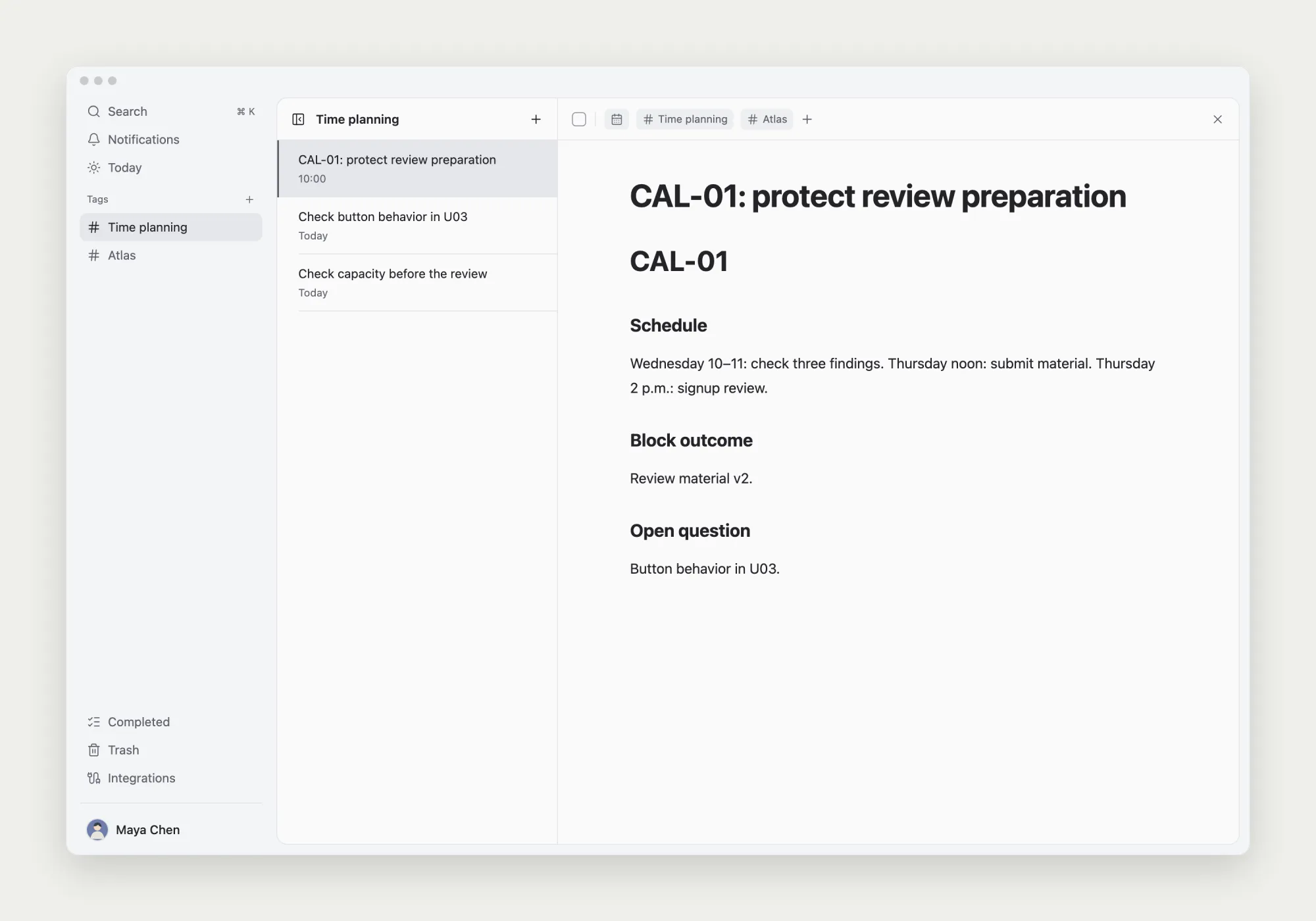
An hour reserved is an intention, not proof of completion. At the end, record actual progress and decide whether more time, a smaller scope, or a different arrangement is needed.
Change the right commitment
If a meeting takes Wednesday morning, move the preparation block. If the review moves, confirm whether the submission deadline changes too. Dragging a block does not renegotiate an external promise.
In TodoNote, start and due dates help arrange tasks while their notes preserve context. If you also use a calendar, reference the same task from a focus block. Automatic synchronization depends on the integrations you have actually configured.
Check capacity each morning
Subtract fixed commitments first, then protect the most important work. A task that cannot fit needs a decision even when the list has room for another line.
At the end of the day, record why work remains unfinished. The next plan should adjust scope and available time, rather than simply moving every unchecked item forward.
A template to copy
Date:
Fixed commitments:
Available working time:

Work to protect:
Reserved block:
Expected outcome:
Task and source locations:
External deadline:

Actual progress:
Further time or scope adjustment:Related workflow: Start date vs. due date: plan the work before the deadline
Sources and background: Google Calendar