Reopen a completed task if its original result is still missing. Create a new task when the scope changes or the work starts a new round. Compare the new request with the acceptance criteria at the time the task was closed.
Compare three requests after delivery
| New information | Action |
|---|---|
| The original brief required an accessible CTA and it still fails | Reopen the original task |
| The client now wants an extra comparison section | Create a new task and reference the original delivery |
| The team starts next month’s pricing update | Create a new task for the new round |
Start with the original brief and the acceptance message. “The client wants more changes” is too broad to decide. Write down what is missing or what has been added.
If the original acceptance item failed, record the expected result and the observed failure. Reopen the same task so the original brief, evidence, and new verification stay together.
Preserve the accepted work
Jonas’s pricing page was accepted with two plans and an accessible call to action. The client asks for a comparison section afterward. Jonas creates “Add the comparison section” and references the accepted page in the new note.
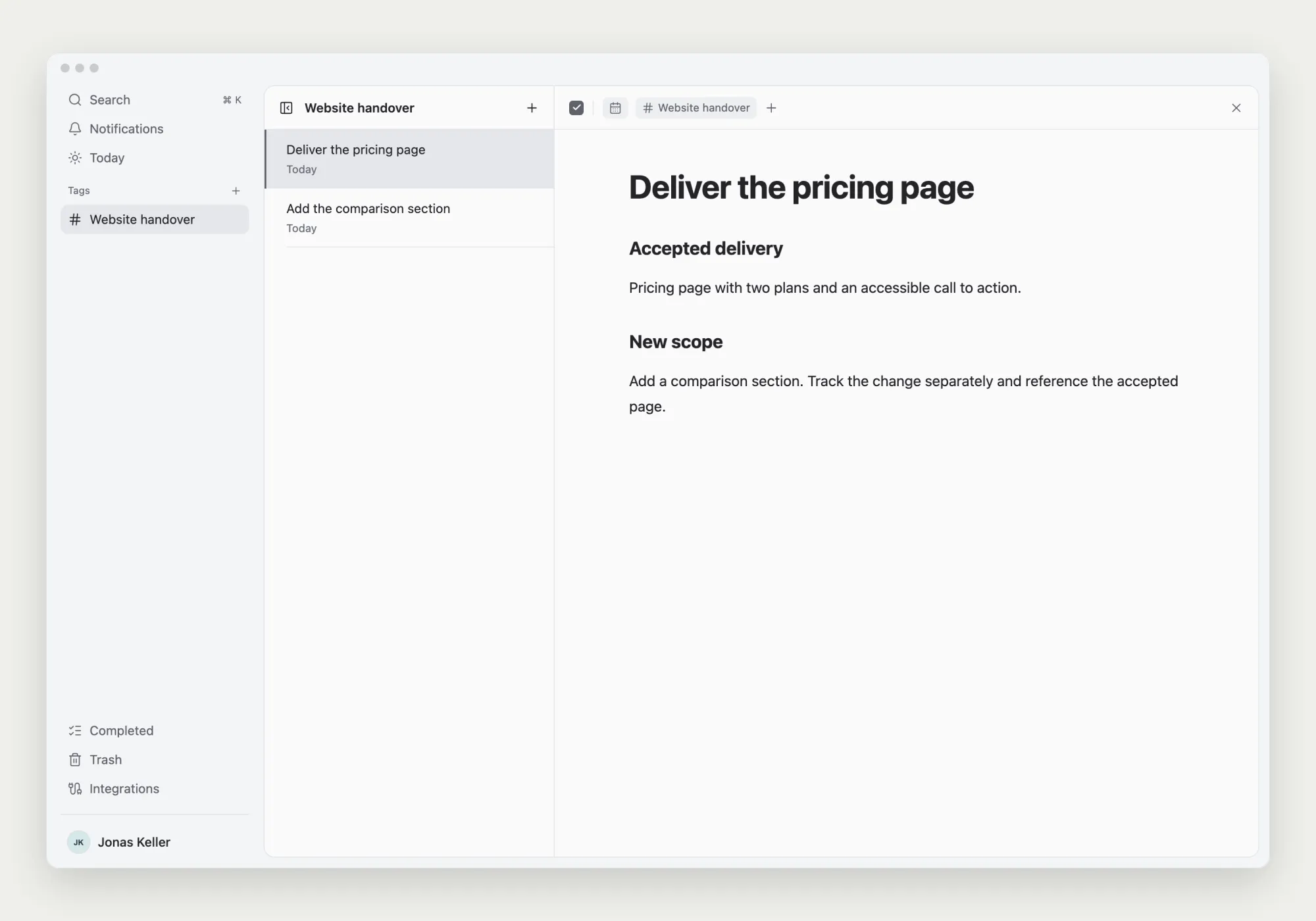
Put new acceptance criteria and a new date in the follow-up. Keep the original page, version, and acceptance confirmation available in the completed task.
For another monthly update, record the new period and the version you are starting from. A reader can then tell which round introduced each change.
Make the decision easy to reconstruct
In TodoNote, uncheck completion if the original work needs to resume. Adjust its dates to show the new plan, and append the reason to the original note. If the new request is separate, keep the completed note searchable by title or tag. TodoNote’s completion guide
When a request mixes both kinds of work, reopen the original task for the missed requirement and create a separate one for the added scope. Give each a result you can verify.
Confirm later that you can answer two questions from the notes: what was accepted before, and what is open now?
Use a decision log when the reasoning behind the scope change will matter later.