Start with four decisions: continue today, reschedule the start, agree on a new deadline, or cancel. A missed start date changes your plan. A missed commitment changes what another person can expect, so handle that conversation before moving the deadline.
Check what actually slipped
Look at the date that passed. If you intended to draft a welcome email on Tuesday but promised it for Friday, you can still pick a new start date. If a client expected a file on Tuesday, send an update before you make a new plan for the file.
In TodoNote, unfinished work stays visible as the days change. Open the items you still owe first. Pick the next action you can complete, even if you can only review the missing information today.
Make one decision per task
| Situation | Decision | Example |
|---|---|---|
| Still possible today | Continue today | Review the revised quote |
| Planned start passed | Reschedule the start | Draft the onboarding email tomorrow |
| Promised date passed | Agree on a new deadline | Send the client export after confirming a new time |
| Work no longer needed | Cancel | Drop the second venue comparison |
A task that can wait but has no credible start date can stay in Unscheduled. Before cancelling work someone asked for, confirm they no longer need it and keep the explanation with the task.
Give tomorrow a capacity limit
Subtract meetings and existing deadlines from tomorrow’s available time before moving anything. If there are 75 minutes left and the email and export need 25 and 40 minutes, the remaining ten minutes are a buffer.
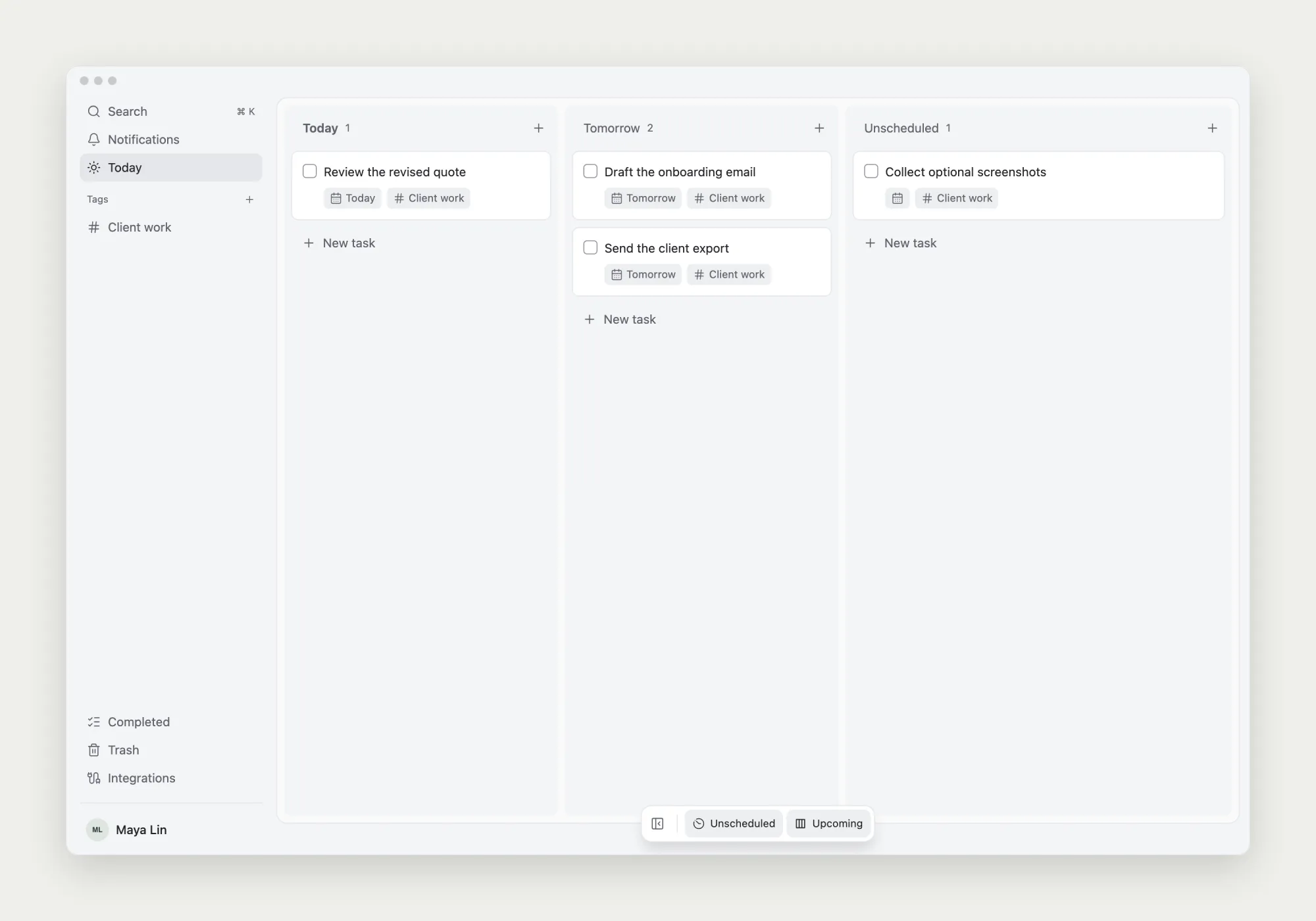
Use that buffer for the export if confirmation comes later than expected. A slot you keep free is easier to use than a third commitment you have to move again.
Keep the original promise in the note
For the client export, record the original due time, the blocker, and the new time once confirmed. Until the client replies, use a next action such as “check confirmation at 10” and keep the proposed time visible in the note.
At the next review, look for a task that has slipped more than once. Turn it into a smaller next action or surface the dependency that keeps it waiting.
Separate start dates from deadlines · Build a work shutdown routine