Cornell notes separate cue questions, learning notes and a summary, then use the cues to check recall and application. Paper usually uses two columns and a bottom summary; digital notes can use three clearly labeled sections with the same review process.
An orderly page is only the starting point. The useful question is whether you can explain it without seeing the original answer.
Capture explanations and examples during class
Record key concepts, reasoning, examples and source locations. Mark unresolved points rather than trying to transcribe every word. These notes should provide a reliable route back to the material.
Soon after class, create questions or cues and write a brief summary. Cornell's instructions also include covering the notes, reciting, reflecting and reviewing. Drawing three boxes does not complete the method.
Turn one SQL observation into a question
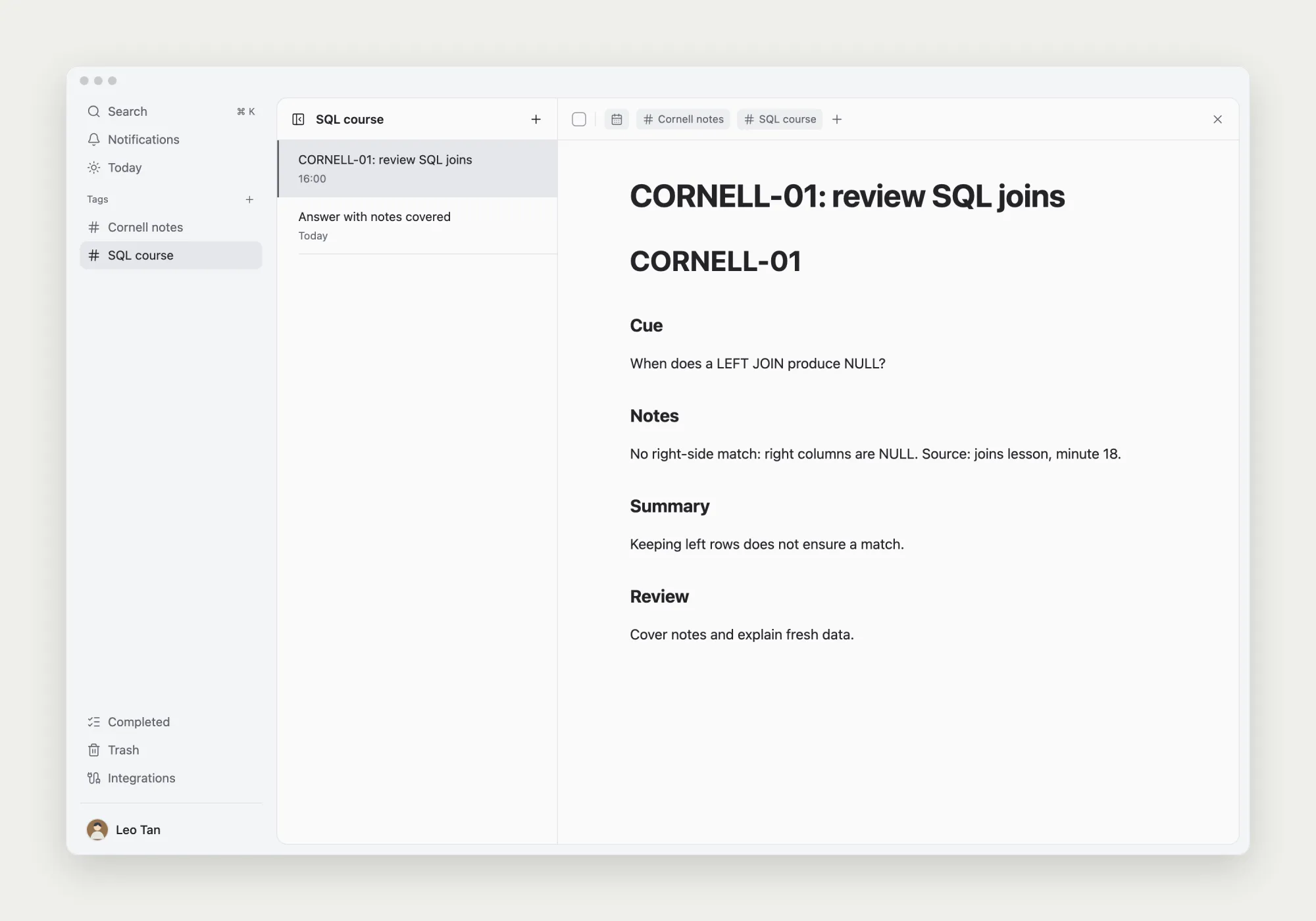
CORNELL-01 records that an unmatched right-hand row produces NULL values in a LEFT JOIN, with the lesson at minute 18 as the source. The cue asks when nulls appear; the summary distinguishes retaining left rows from finding a match.
| Section | Purpose | SQL example |
|---|---|---|
| Cues | An answerable question | What happens without a right match? |
| Notes | Explanation, example and source | Right columns are NULL; minute 18 |
| Summary | Your connected understanding | Keeping left rows does not guarantee a match |
During review, look only at cues, answer aloud or separately, then check the notes. Record the exact gap and revisit its source. Recognizing an answer after reading it is different from recalling it independently.
Schedule another application
Use fresh data containing unmatched records and explain the result again. Choose review timing around the course and your actual errors rather than treating one fixed interval as universally correct.
In TodoNote, keep the three sections in a course task note, arrange recall and application as subtasks, and group the course with tags. Ordinary notes support the structure without requiring a dedicated Cornell editor or automatic review algorithm.
Copyable template
Course and topic:
Date and source location:
Question to understand:
Cues and questions:
Cue 1:
Cue 2:
Learning notes:
Key explanation:
Example and conditions:
Unresolved point:
My summary:
Answer without looking:
Difference found when checking:
Next application or review:Background sources: Cornell Learning Strategies Center
Related reading: How to use the Feynman technique with explanation notes · Literature reading notes: separate evidence, conclusions, and your interpretation