A reusable support note should explain the symptom, when the answer applies, what to check, what has worked, and when to escalate. On the next similar question, check the conditions before adapting the answer.
A polished reply is useful to a customer. An internal troubleshooting note also needs the reasoning, tested environment, and unresolved questions. That is what makes the answer usable beyond one conversation.
Name the problem in customer language
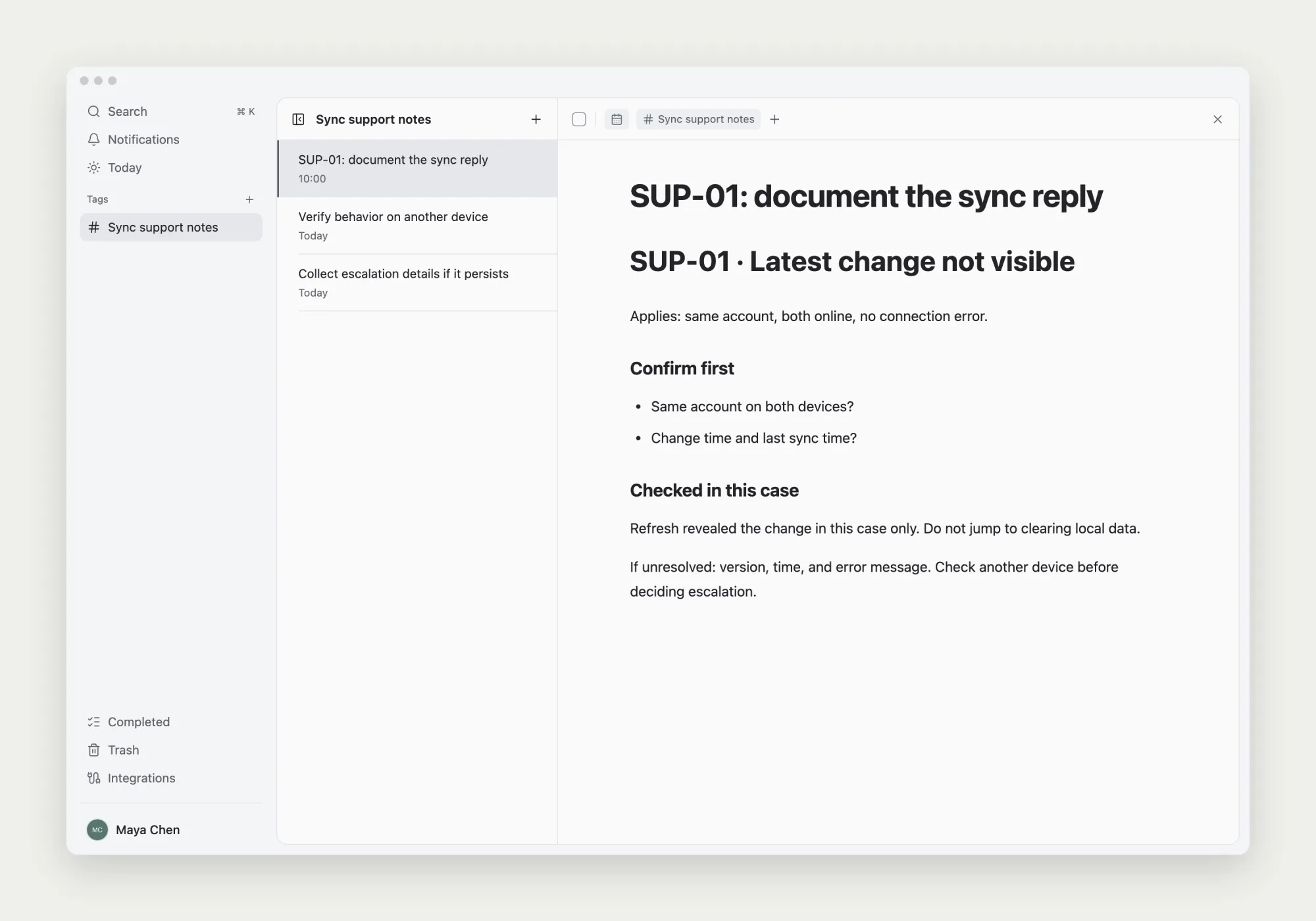
SUP-01 is called “Latest change not visible after sync”. It matches a symptom more closely than “Sync issue handling”. The note adds its conditions: same account, both devices online, and no visible connection error.
If the accounts differ, resolve that question first. A connection error belongs to another path. Similar symptoms do not establish the same cause, so applicability is part of the answer.
Separate questions, actions, and outcomes
Ask about the change time, account, and sync state before proposing a fix. Avoid jumping to reinstalling or clearing data. Each action should follow from an observation worth recording.
In this case, refreshing revealed the change. That is a verified outcome for this case; it does not establish network delay as the cause. Preserve the successful action without converting an explanation into a fact.
Define the route when the answer fails
List the information needed for escalation: app version, time, error message, and repeatable steps. A specific escalation condition prevents repeated attempts at the same unsuccessful action.
In TodoNote, gather related troubleshooting notes with a tag and retain the original case context. Make another-device verification a separate task. When reusing the note, adapt the reply to the current situation.
Review applicability during reuse
A new version, another platform, or a different failure can change the answer. If the note no longer explains the situation, add the difference rather than repeating an old reply unchanged.
Problem title / customer wording:
Applies when:
Exclude or check first:
Diagnostic questions:

Check sequence:
Verified action / result:
Environment / verification date:
Unverified explanation:

Escalation condition:
Required escalation details:
Reply points to adapt:
Update history:For unresolved cases, use the bug report template to prepare reproduction details. Review frequently used answers with the knowledge base maintenance workflow.