A client requirements record distinguishes what the client said, what you understood, what remains uncertain, and what would count as an acceptable result. Confirm the interpretation before treating it as an agreed deliverable.
“Make registration easier” sounds clear until one person expects fewer fields and another expects automatic reminders. Starting immediately can lock an unconfirmed interpretation into the schedule.
Preserve the request before proposing a solution
Keep the original wording, date, and source. Then describe the underlying problem in your own words. Requirements gathering clarifies needs, constraints, and success criteria; the interface solution can follow once those are understood.
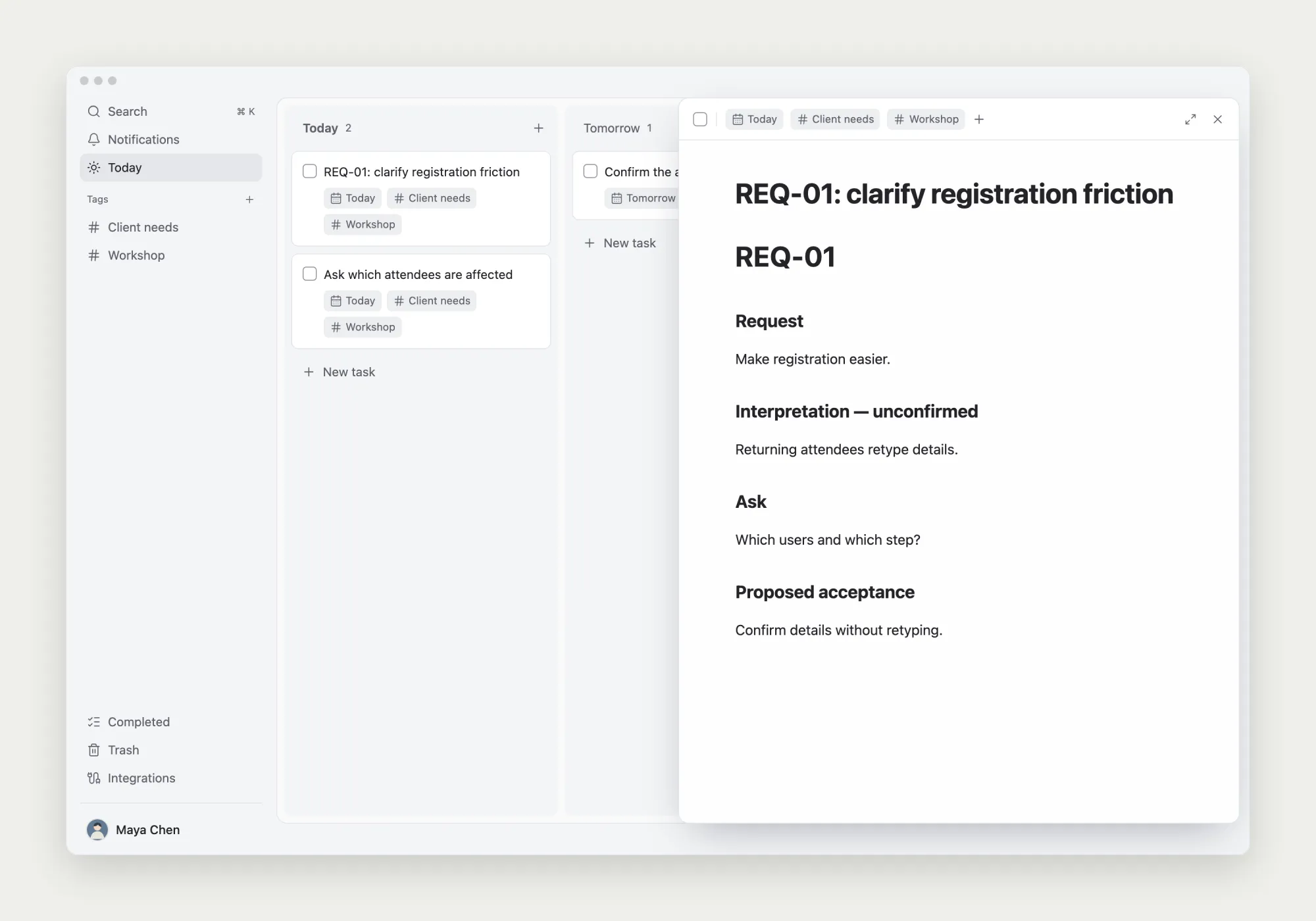
REQ-01 proposes that returning attendees should reuse contact details. That is an interpretation of “make registration easier,” not an approved feature. Whether first-time attendees face the same difficulty remains unknown.
Ask questions that could change the plan
| Layer | Registration example | Status |
|---|---|---|
| Client wording | Make registration easier | Received |
| Interpretation | Returning attendees retype details | Needs validation |
| Open question | Which attendees and step? | Awaiting clarification |
| Acceptance example | Confirm details without retyping | Proposed, not approved |
Ask who encounters the problem, at which step, and what they are trying to finish. Check event dates, available input data, and approval constraints. Distinguish a required outcome from a preferred design so alternatives remain possible.
Draft an acceptance example the client can evaluate: “A returning attendee can confirm contact details without retyping them.” Mark it proposed until confirmed. Discuss exceptions, such as changed contact details, before promising the behavior.
Confirm the interpretation before scheduling delivery
Send the concise interpretation through the normal client channel and retain the reply. If only part is confirmed, leave the other questions open. A meeting ending does not imply that all assumptions were accepted.
In TodoNote, put the request and interpretation in the task note. Create subtasks for clarification and validation, with client and project tags for retrieval. Your working record supports confirmation; it does not create client agreement by itself.
Requirements clarification template
Request ID / date:
Client wording / source:
User / situation:
Problem to solve:
Current interpretation:
Outcome / proposed deliverable:
Constraints:
Open questions:
Proposed acceptance example:
Exceptions / out of scope:
Who can confirm / reply date:
Confirmed version / next action:Retain the confirmed baseline
Keep the confirmed version and date. Compare later requests with that baseline and record any change. Otherwise every discussion risks reopening what participants thought had already been decided.
Read next: How to keep a requirement change log that stays useful during delivery
Sources and background: Atlassian