Give AI both the meeting notes and the current task list. Ask it to match each commitment and quote the source line. Review three groups before updating anything: covered, potentially missing, and needs clarification.
Bound the task list first
Start with one delivery meeting and the tasks in the relevant website project. Include task titles, IDs, statuses, and dates. When titles look similar, read the notes to check the scope.
With TodoNote MCP, list_tasks can list tasks for a tag. Use get_task_document_markdown to read the relevant notes. Follow pagination or provide the complete list manually before treating a missing match as a possible gap.
Match the action, deliverable, and date
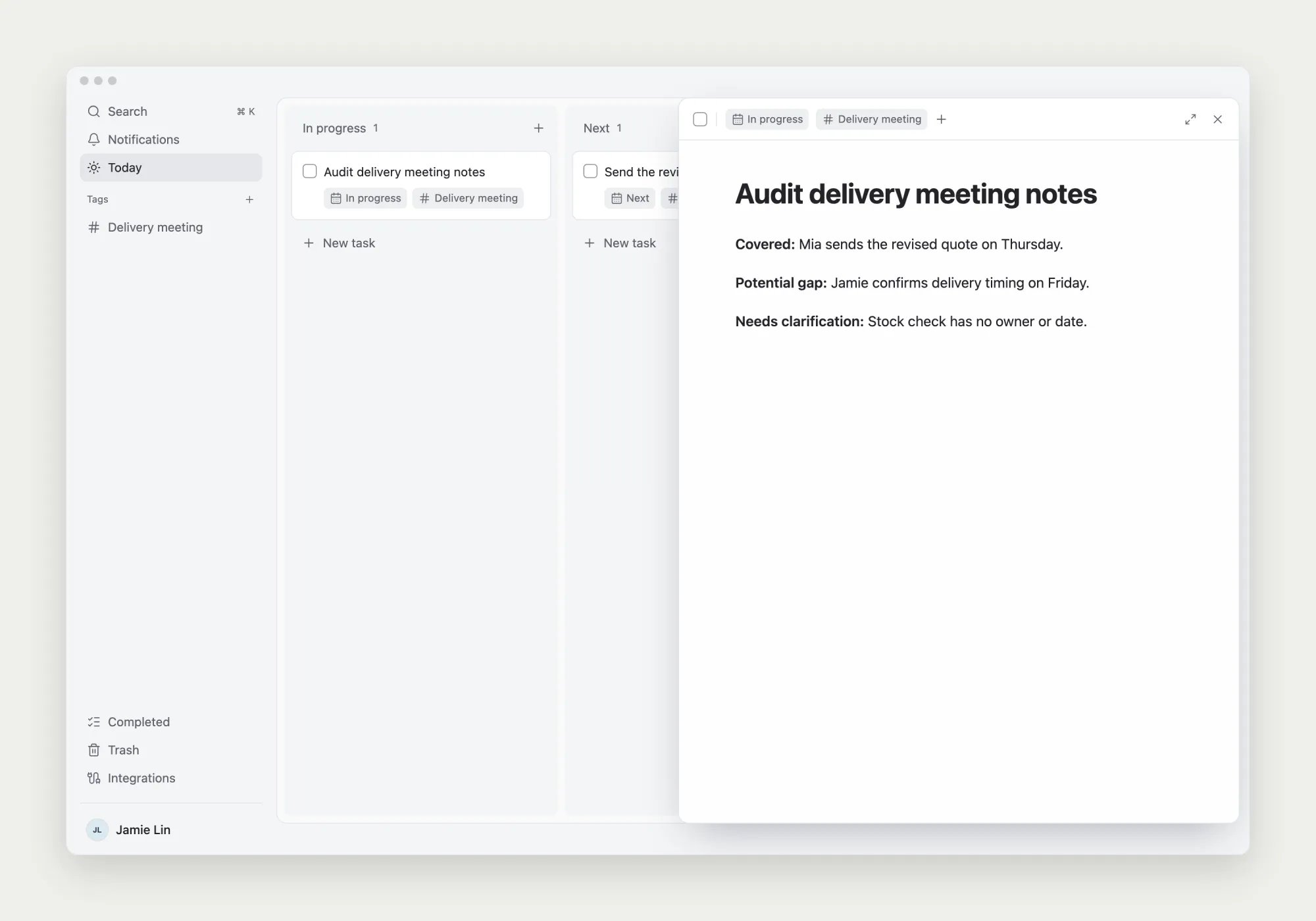
The notes say Mia will send the revised quote on Thursday. There is a task for that, so it is covered. Jamie's promise to confirm timing on Friday has no clear match and belongs under potentially missing.
“Check stock” has neither an owner nor a date. Flag it for clarification. If the quote task is for the previous version, mark the scope difference and show the task ID alongside the original line.
Review the output before changing your list
Look for apparent gaps under subtasks, another project, or completed work. Open any conflicting task to confirm what it covers. When you add a task, link the relevant passage in the meeting note.
If a later message changed the deadline, record where the new agreement came from. That gives future reviews a way to trace the change.
Copy this meeting action-item audit prompt
Paste both inputs at the end. Try one meeting and one complete project list first.
Review the meeting notes and current tasks in read-only mode. Do not create or edit tasks.
Extract each action commitment with its original wording.
Match action, deliverable, owner, and date. Return the task ID and status when available.
Classify each item as covered, potentially missing, or needs clarification. Flag scope and date conflicts. Leave unknowns open.
State if the task list appears incomplete.
Meeting notes: [paste]
Existing tasks: [paste]Review one moderately complex commitment first. A result you can trace from the source line to the task is ready for review.
Related guide · AI action item extraction: keep suggestions from becoming commitments